Skip to content
RMS

A tour of RMS in screenshots

These screenshots show the real RMS app running a made-up demo shop: the keyboard-first POS counter, printed receipts and service stickers, the Due list that brings customers back, job cards, customer accounts, stock, reports, backups and the licence screen. No real customer data is shown.

At the counter
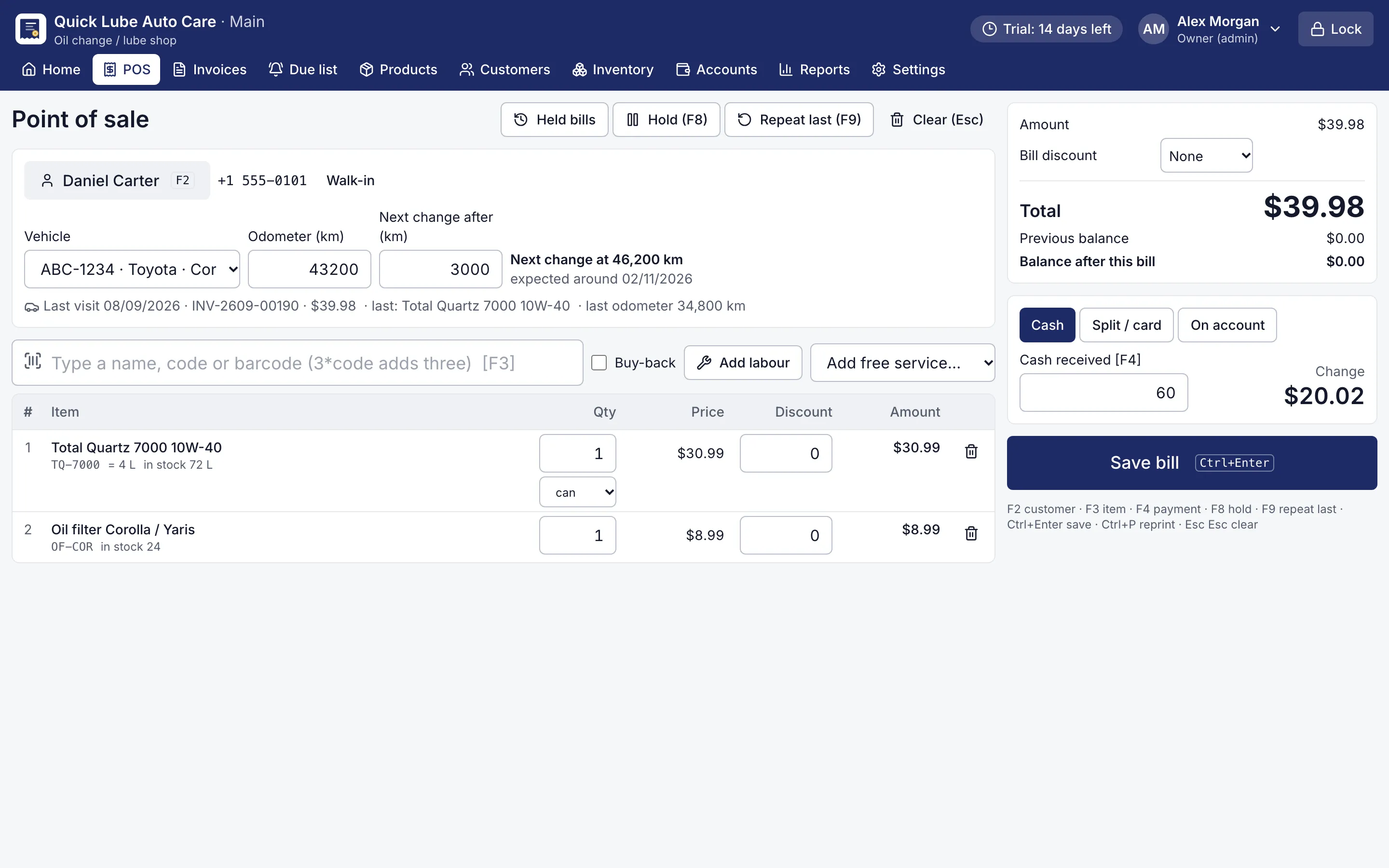
RMS point of sale with an oil change bill, the customer's car and the next change at km
Oil change bill at the counter. A returning car: plate, odometer, F9 repeats the last oil and filter, Ctrl+Enter saves.
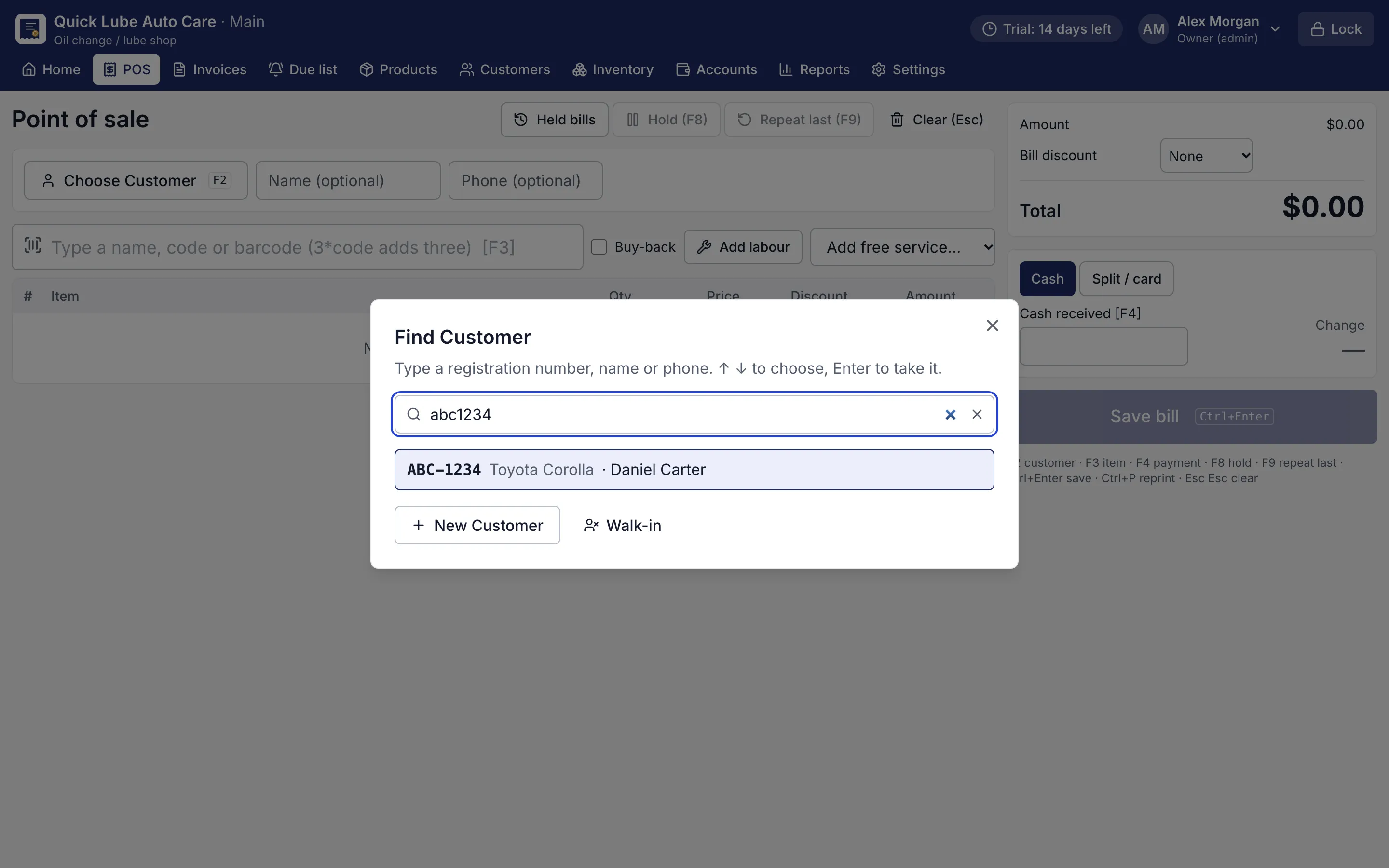
Customer finder showing a car found by its registration number typed without spaces
Find a customer by plate. Type the plate any way (abc1234, ABC-1234): the customer and car come up together.
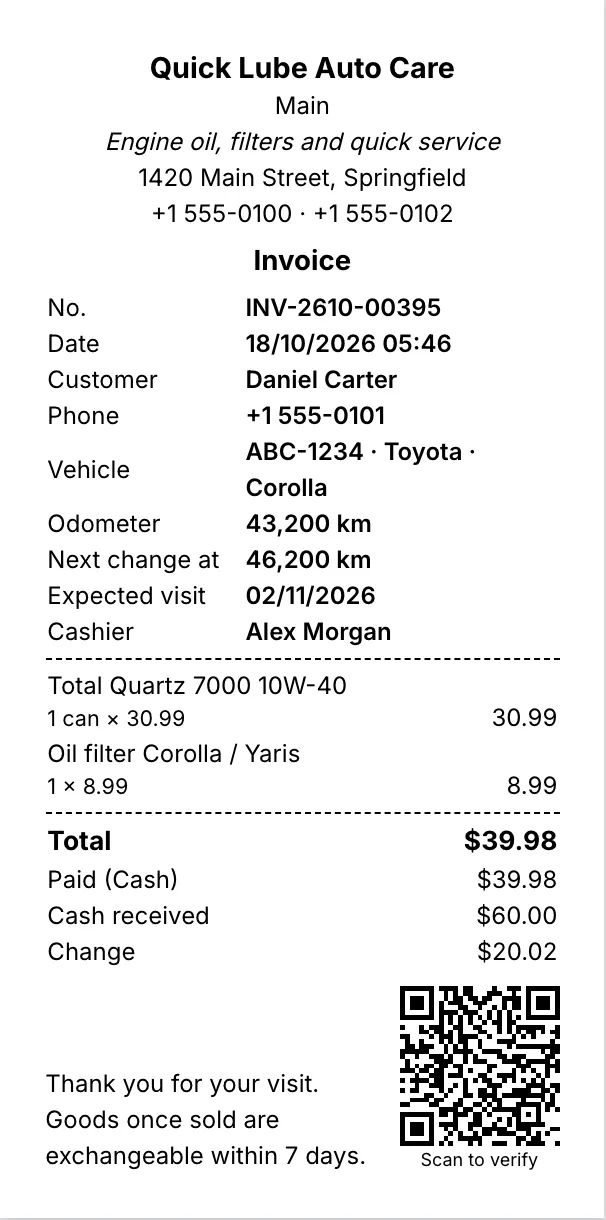
80 mm thermal receipt with items, total, change and a QR code
80 mm thermal receipt. Every printout shows the saved figures and a QR code that proves the shop issued it.
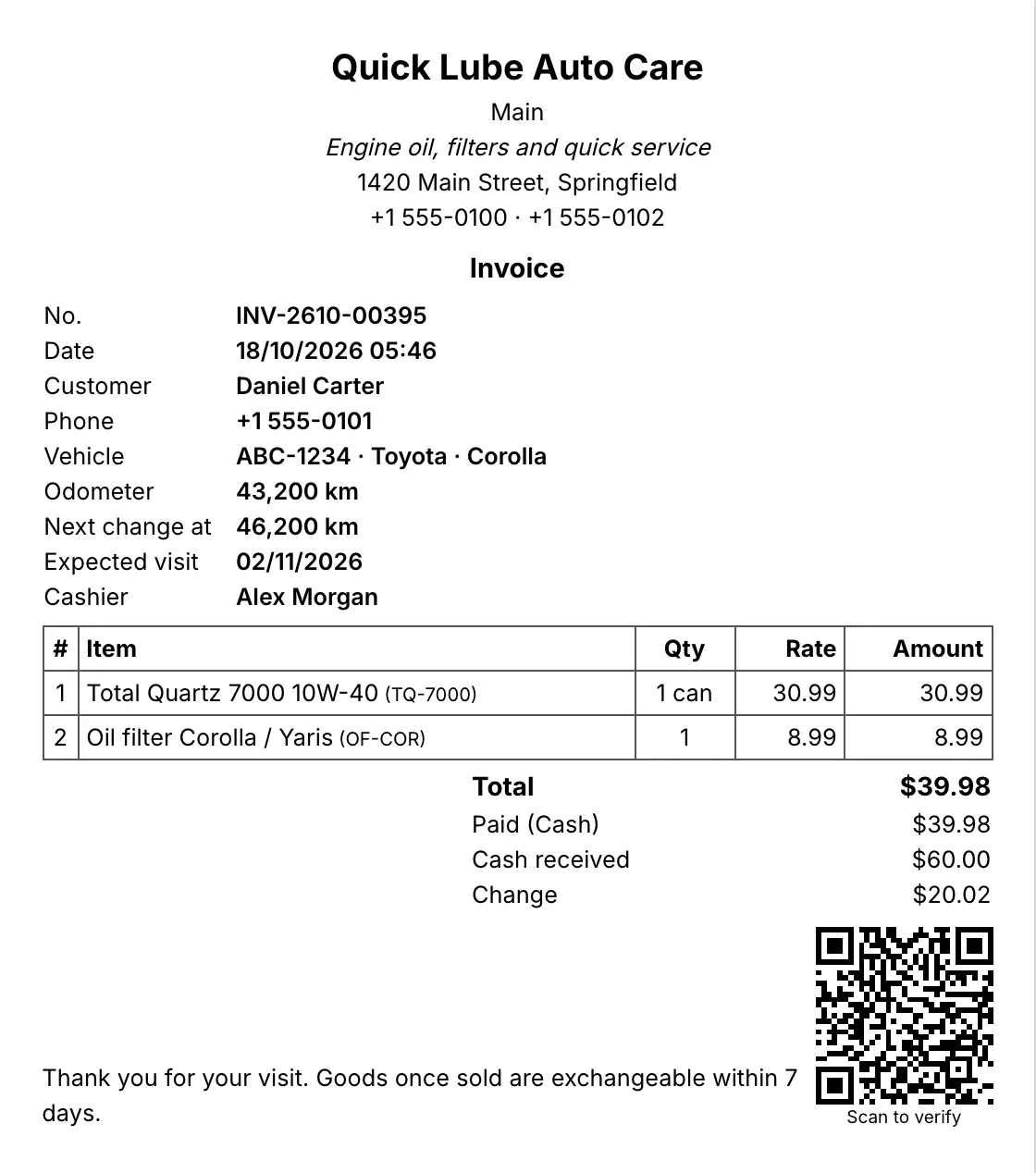
A5 invoice with the shop's details, customer, vehicle, items and totals
A5 invoice. A4, A5 or A6 invoices with your logo, tagline and footer.
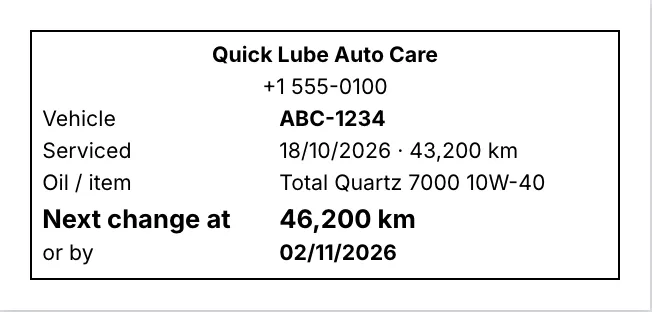
Printed service sticker with the next oil change kilometres and date
Windscreen service sticker. The next change km and expected date, printed for the windscreen.

Bringing customers back

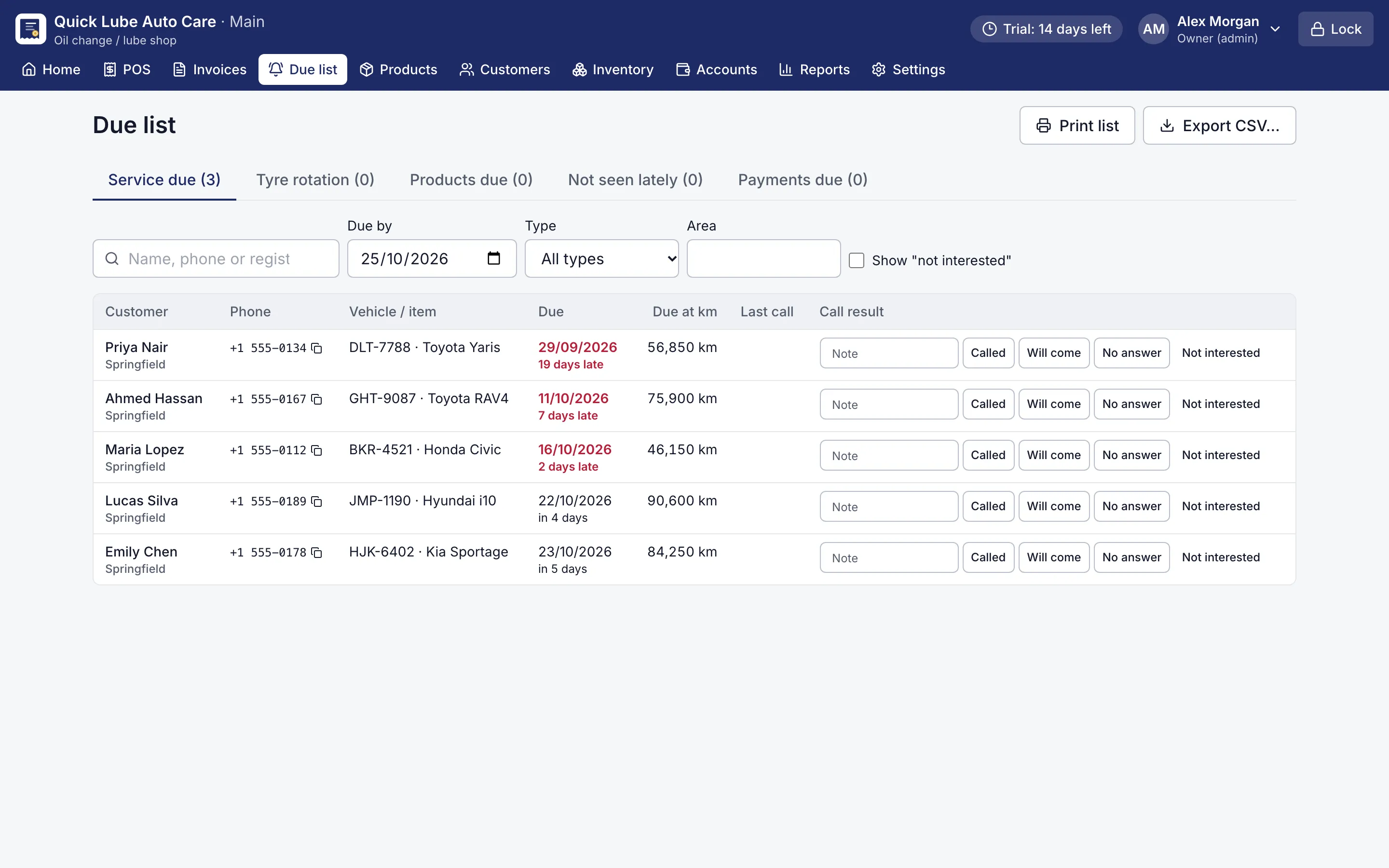
Due list of customers to call for service, with phone numbers and due dates
Due list. Who to call today: services, tyre rotation, products running out and payments due.
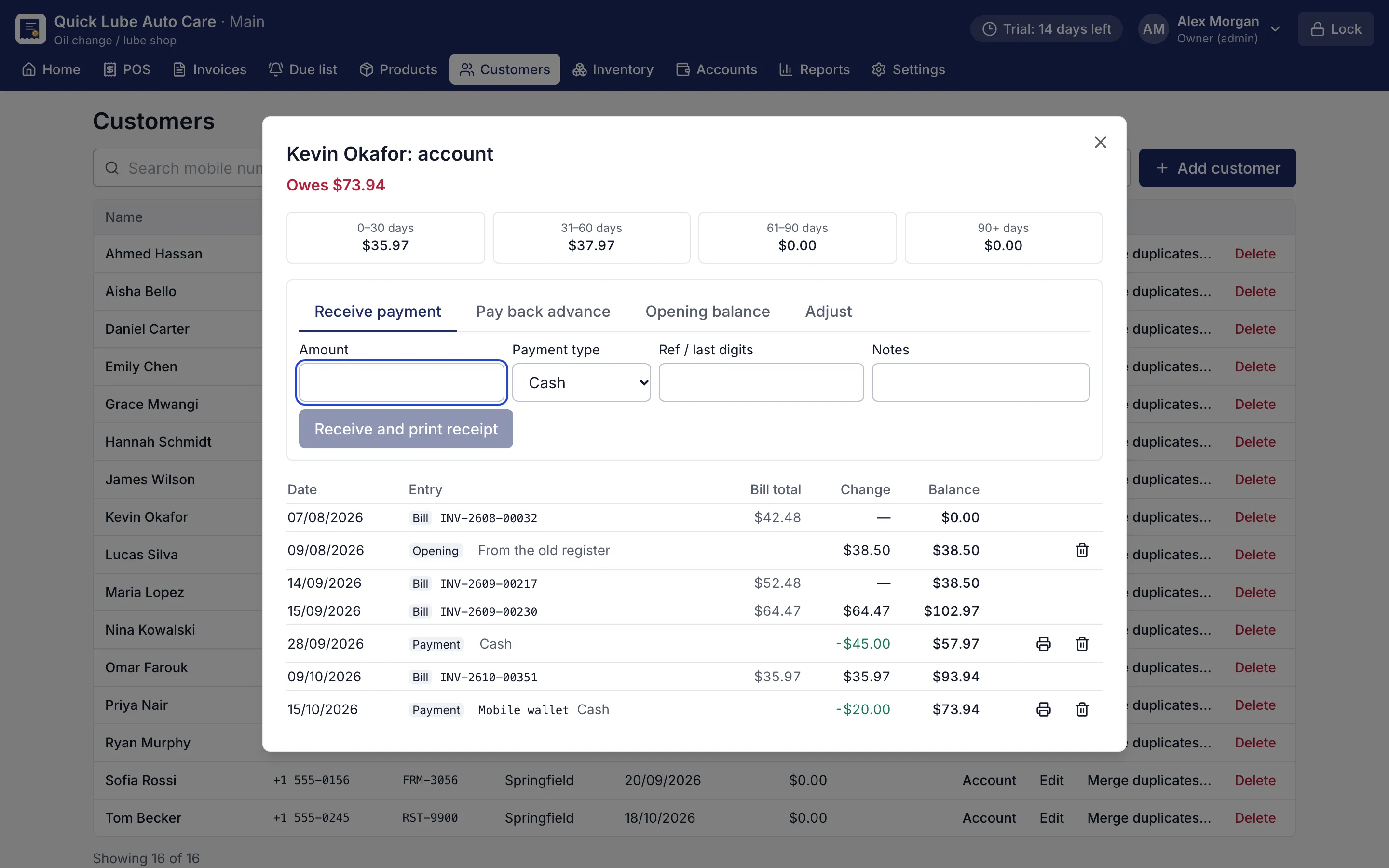
Customer account statement with bills, payments and running balance
Customer account statement. Every credit bill and payment with a running balance and ageing.
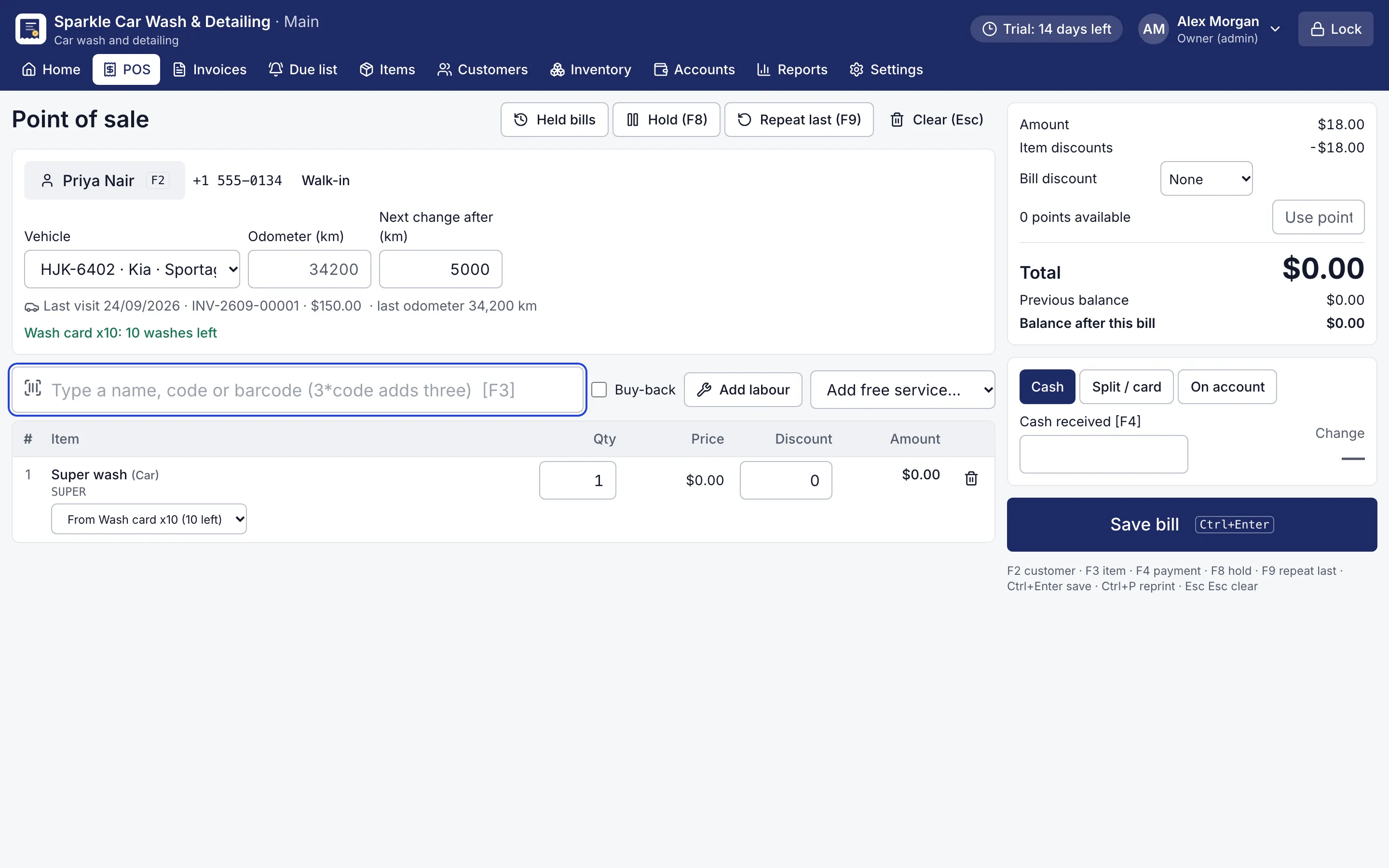
Point of sale using a car wash membership with washes left
Car wash membership. Packages by vehicle type; washes taken from a membership cost nothing at the counter.
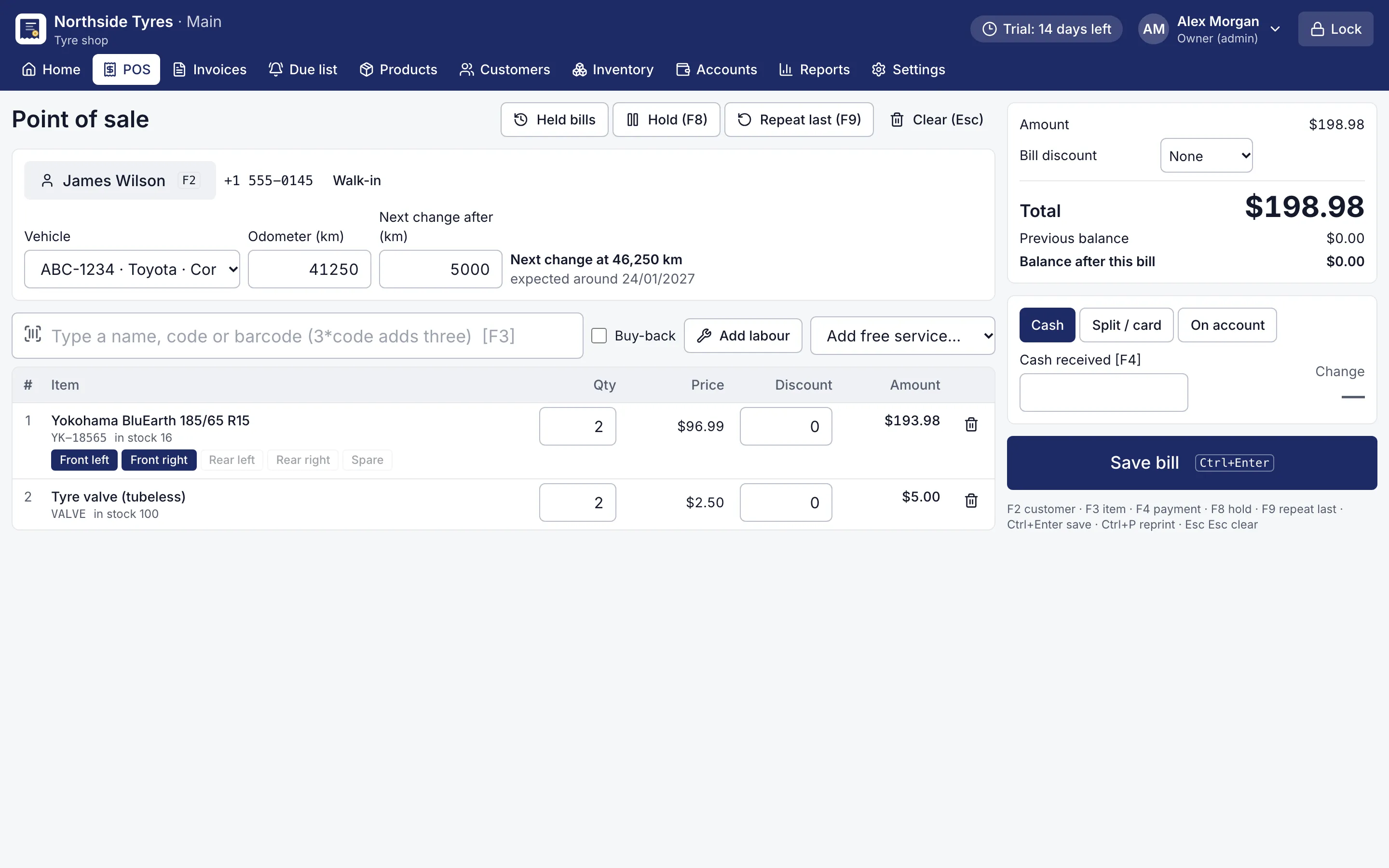
Tyre line on a bill with front left and front right positions chosen
Tyres fitted by position. Pick where each tyre goes; RMS remembers what is fitted on each car.

Workshop and stock

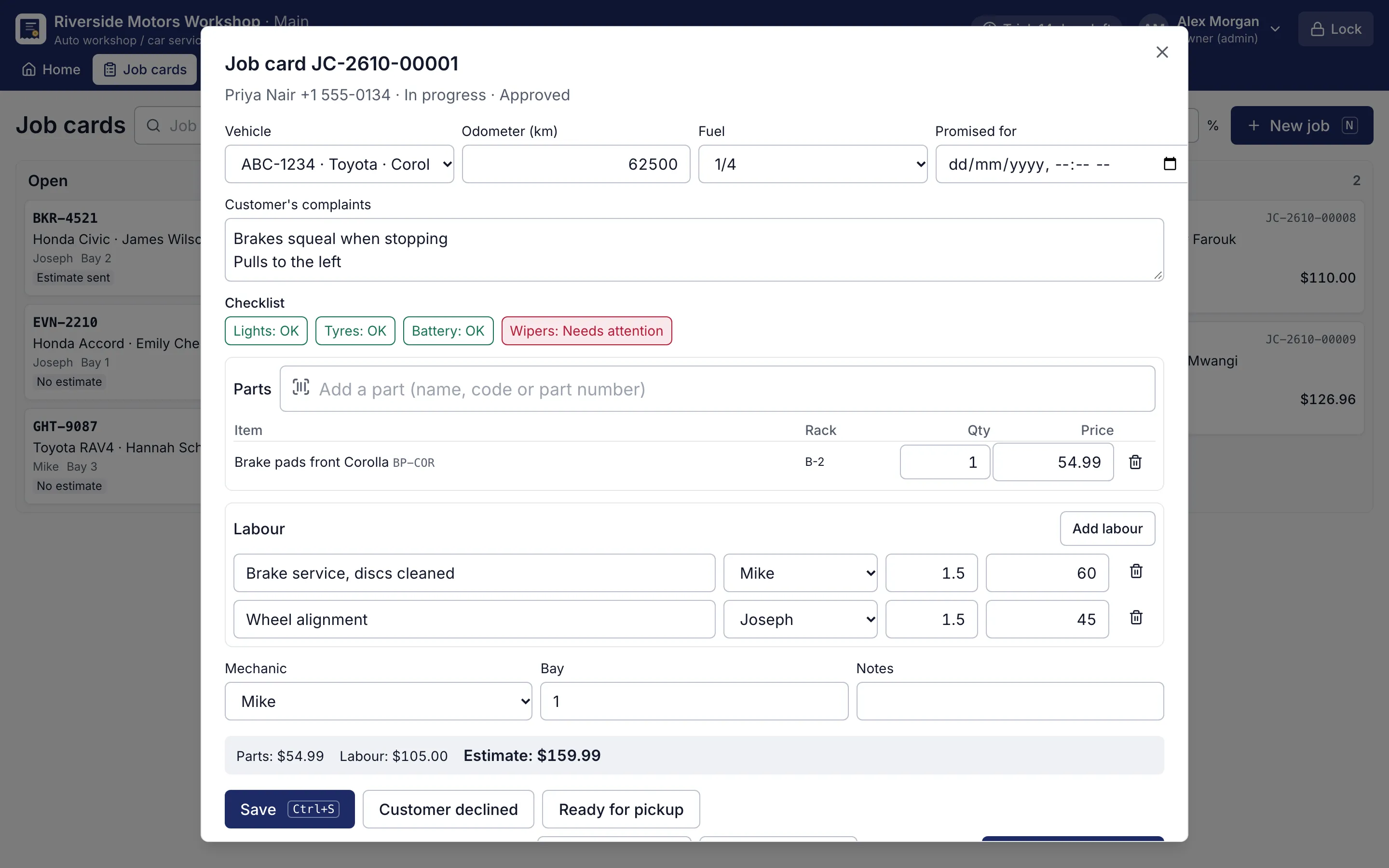
Job card with complaints, checklist, parts and labour per mechanic
Workshop job card. Complaints, checklist, parts and labour per mechanic; Ctrl+I turns it into a bill.
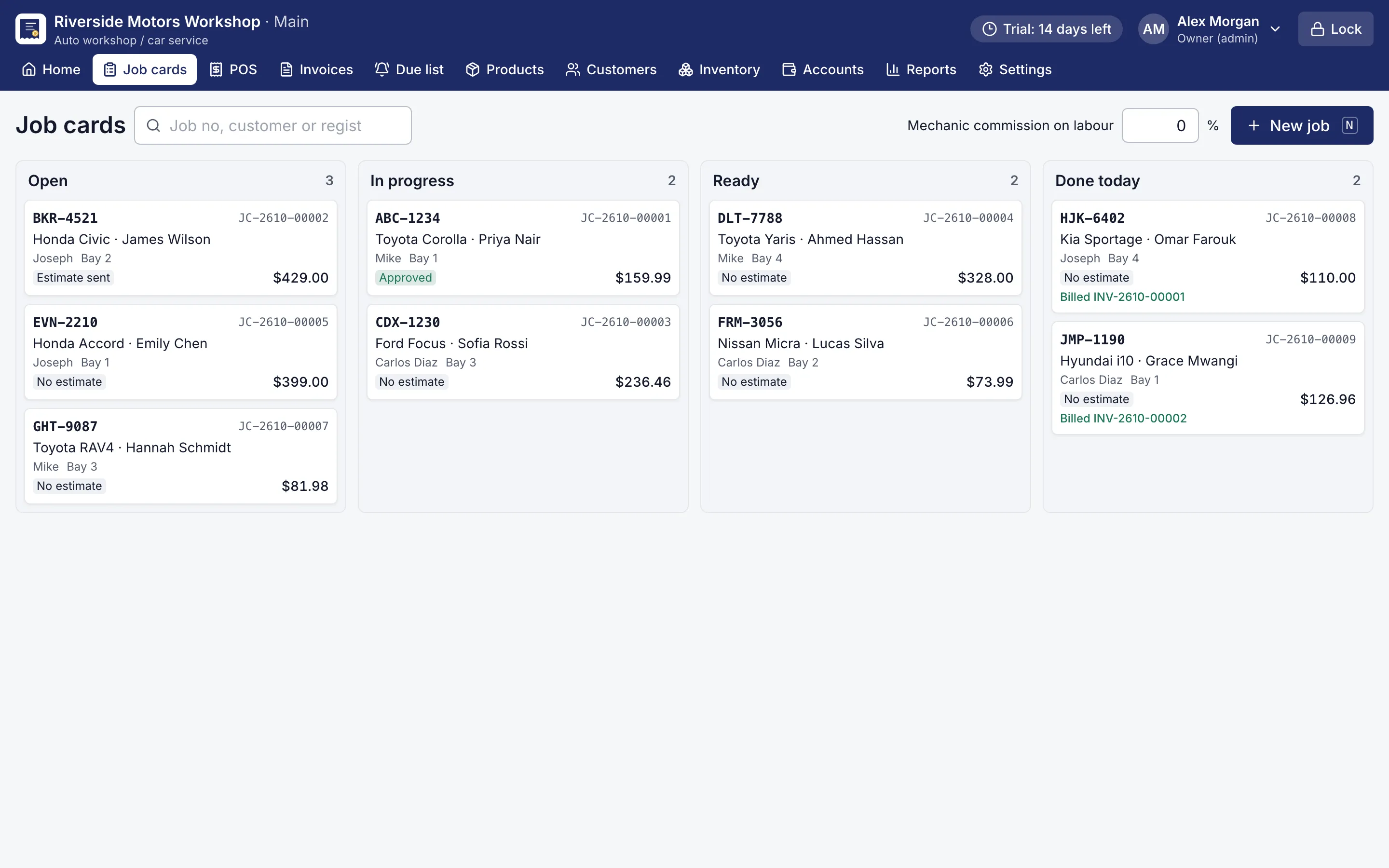
Board of workshop jobs in open, in progress, ready and done columns
Job card board. Every job in the workshop at a glance.
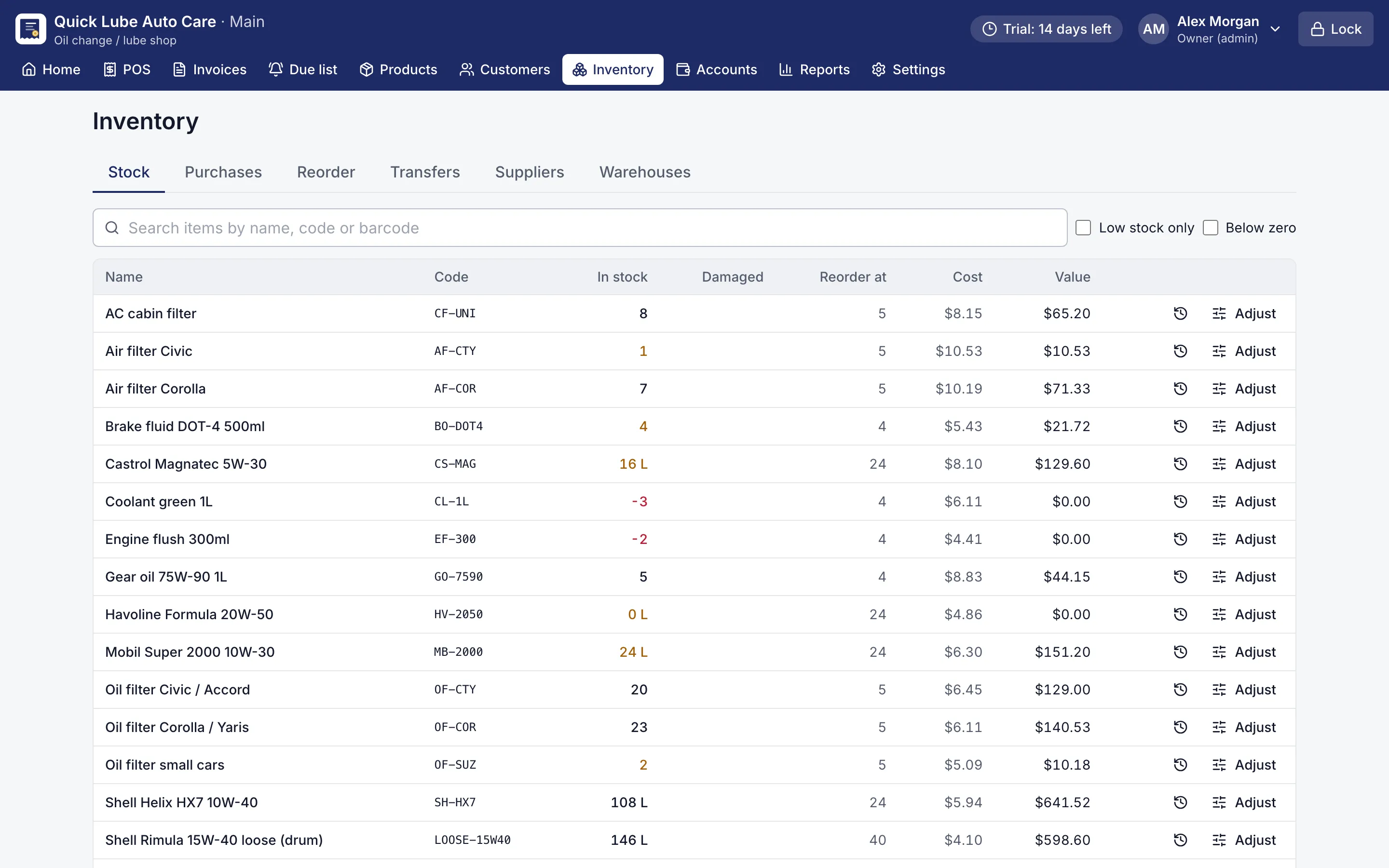
Stock list with quantities, reorder points and low-stock items highlighted
Stock list. Stock in every warehouse, with low-stock and below-zero items flagged.
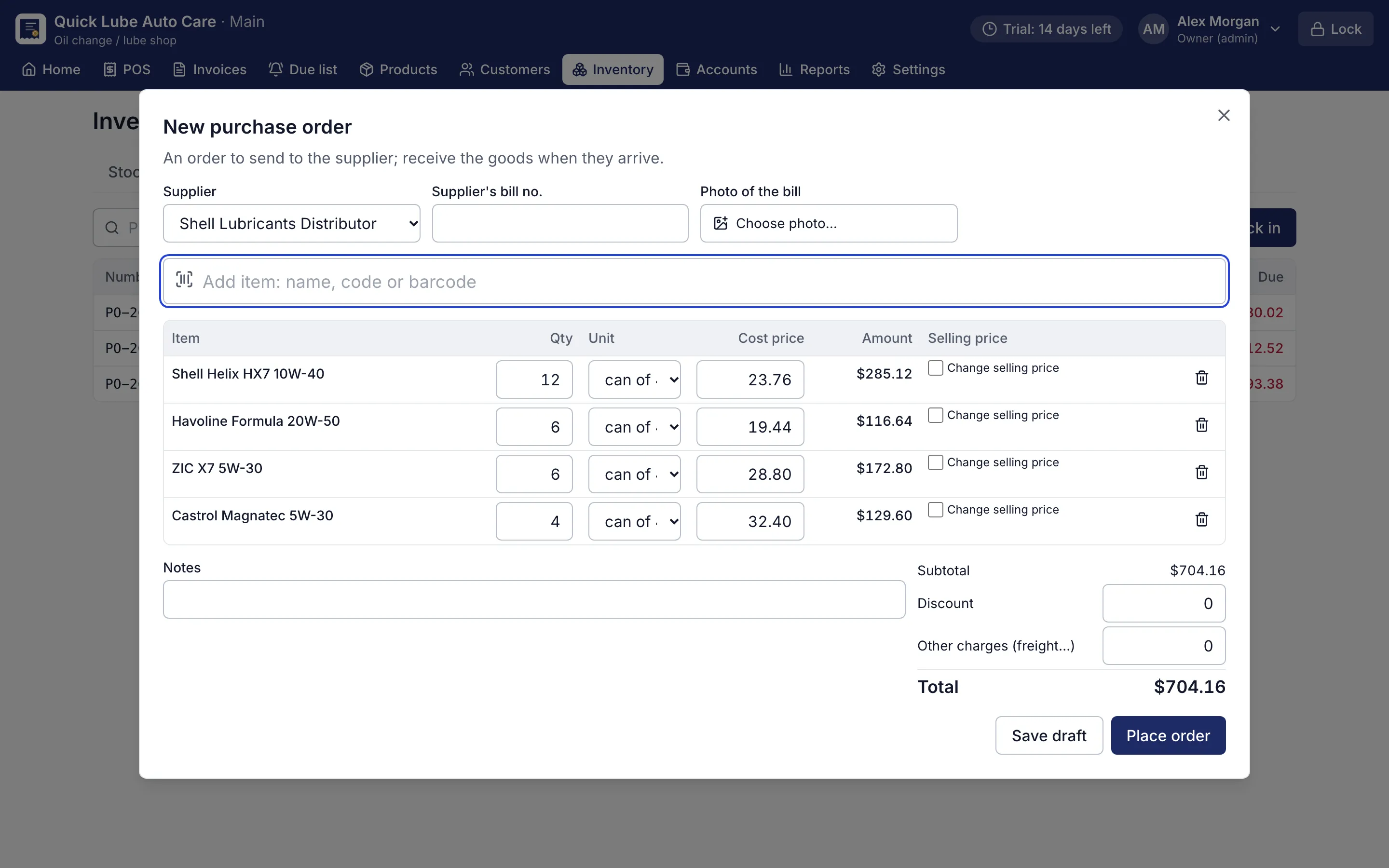
Purchase order form with supplier, items, quantities and costs
Purchase order. Orders received in parts, on credit, with the supplier's ledger.
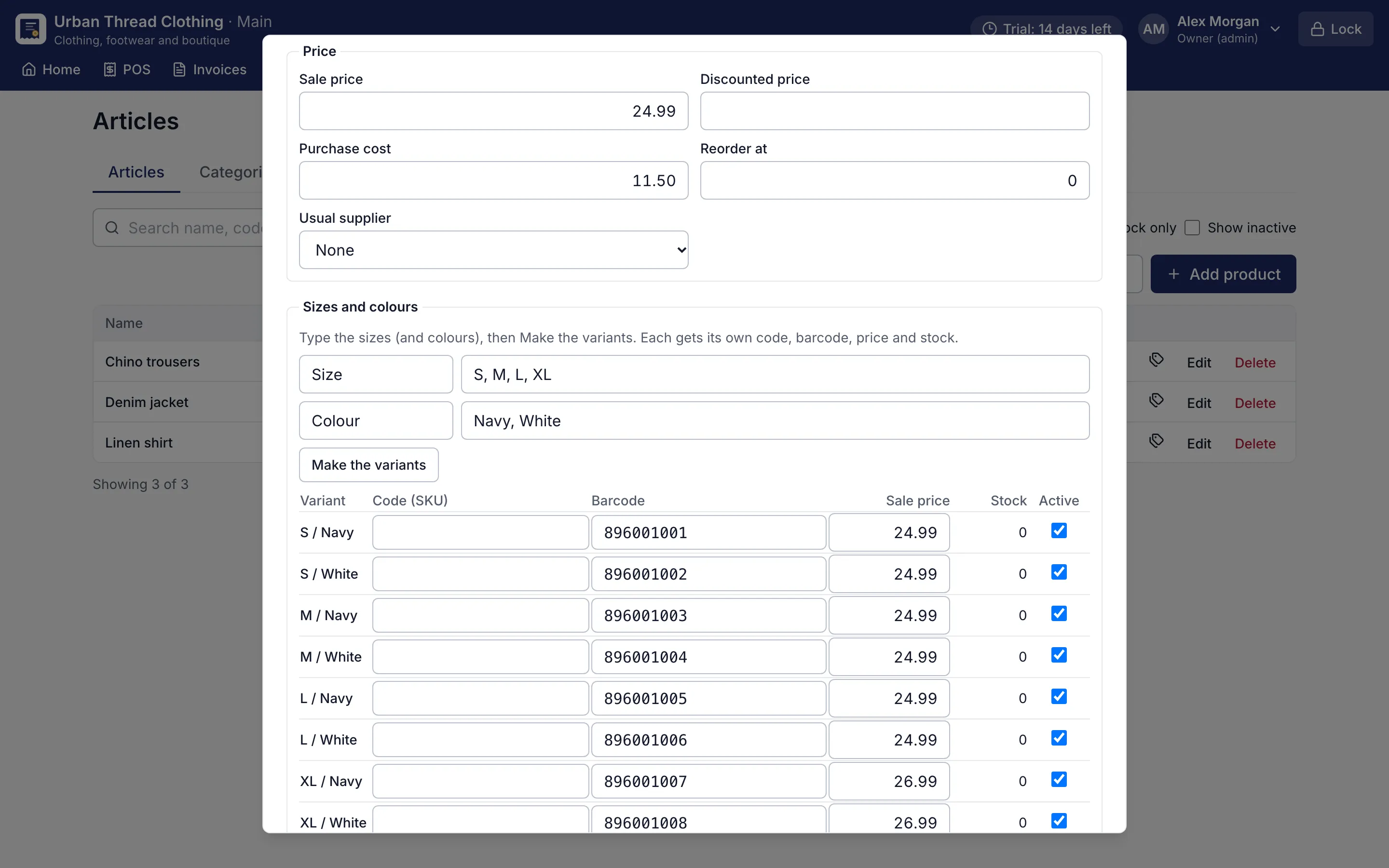
Product form making size and colour variants with their own barcodes and prices
Sizes and colours. Type the sizes and colours; each variant gets its own barcode, price and stock.
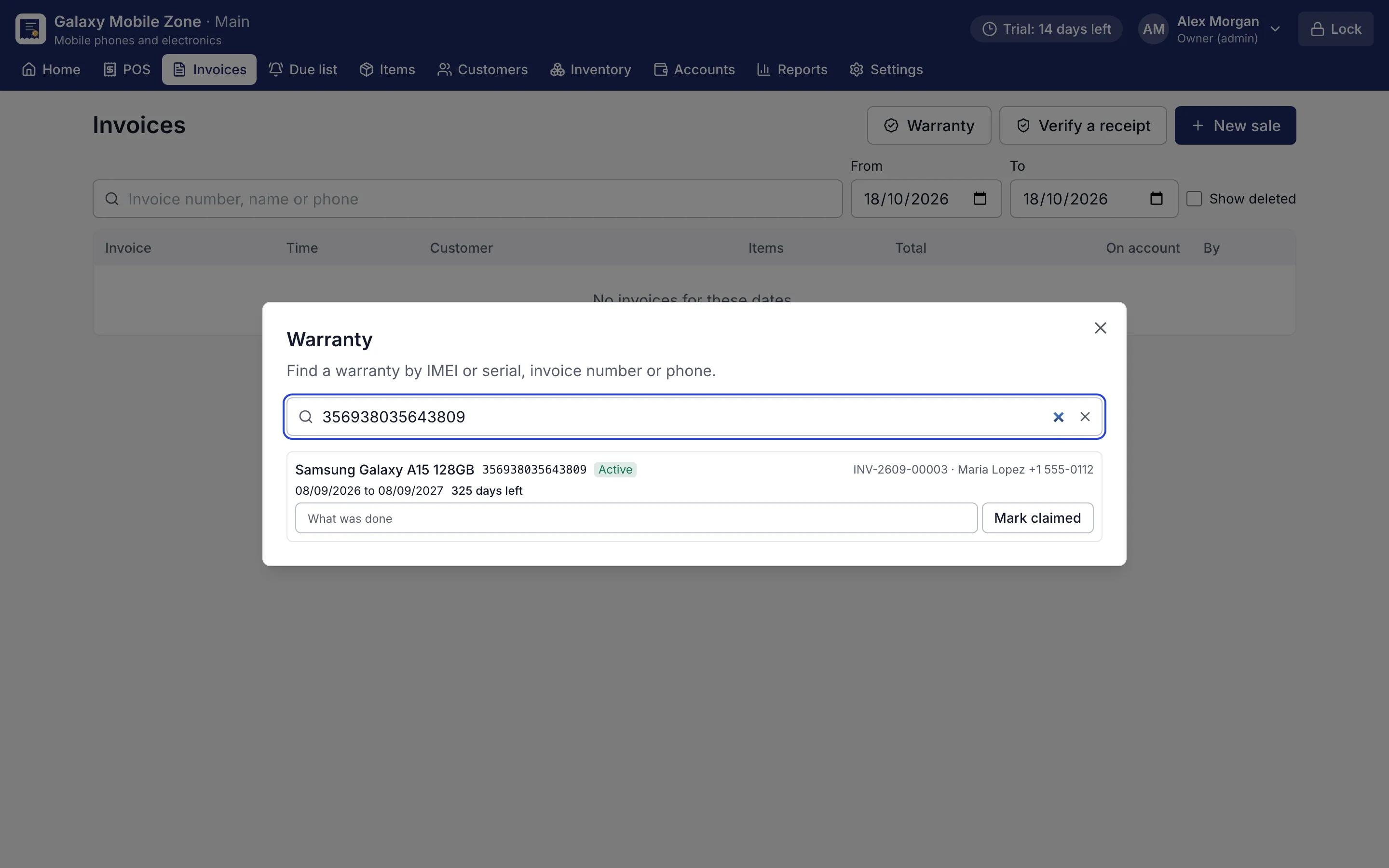
Warranty search by IMEI showing the phone, invoice, customer and days left
IMEI warranty lookup. Find a phone's warranty by IMEI, invoice number or phone, and mark a claim.

Owner's view

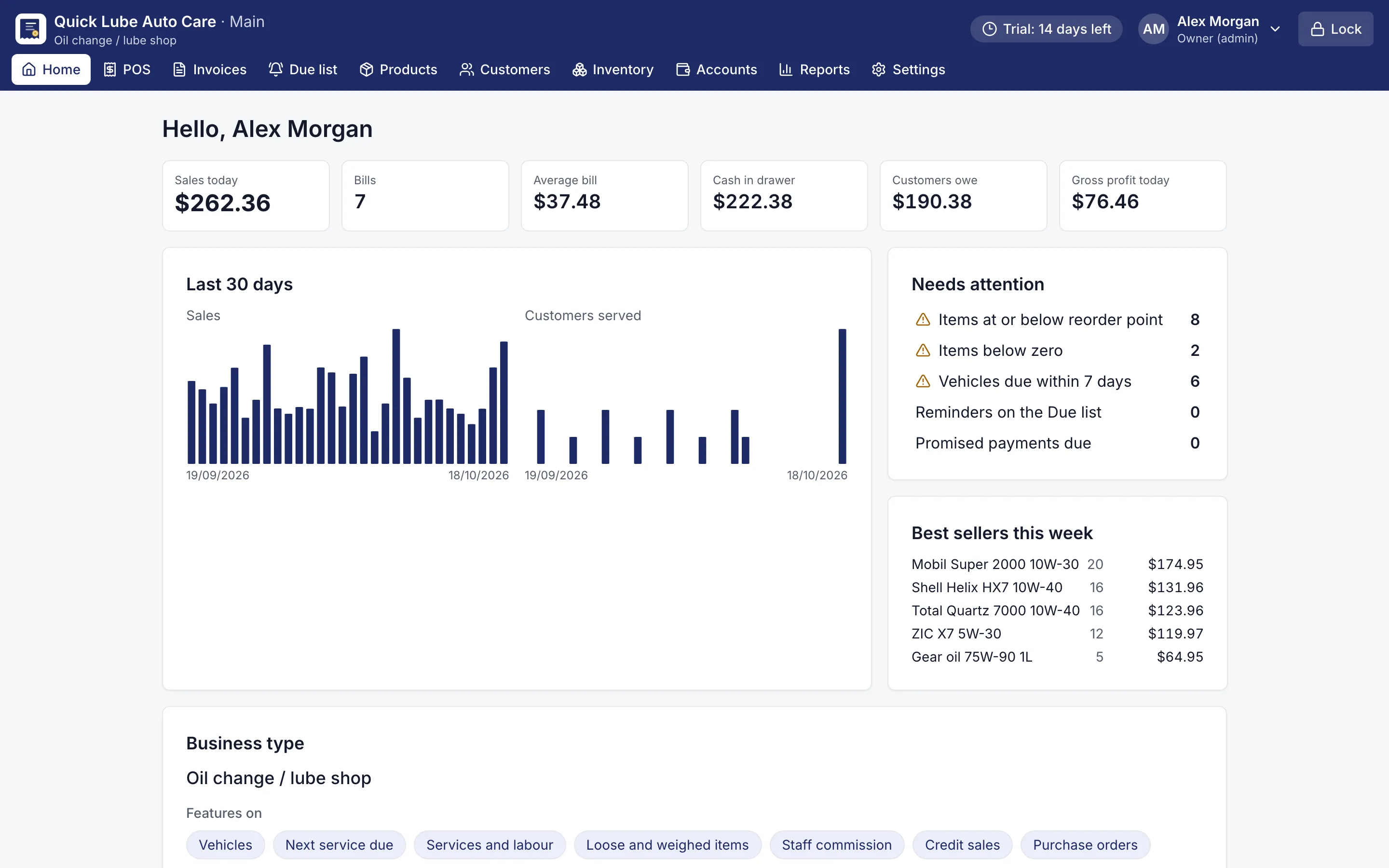
Dashboard with today's sales, cash in drawer, customers owing and items needing attention
Owner dashboard. Today's sales, cash, what customers owe and what needs attention.
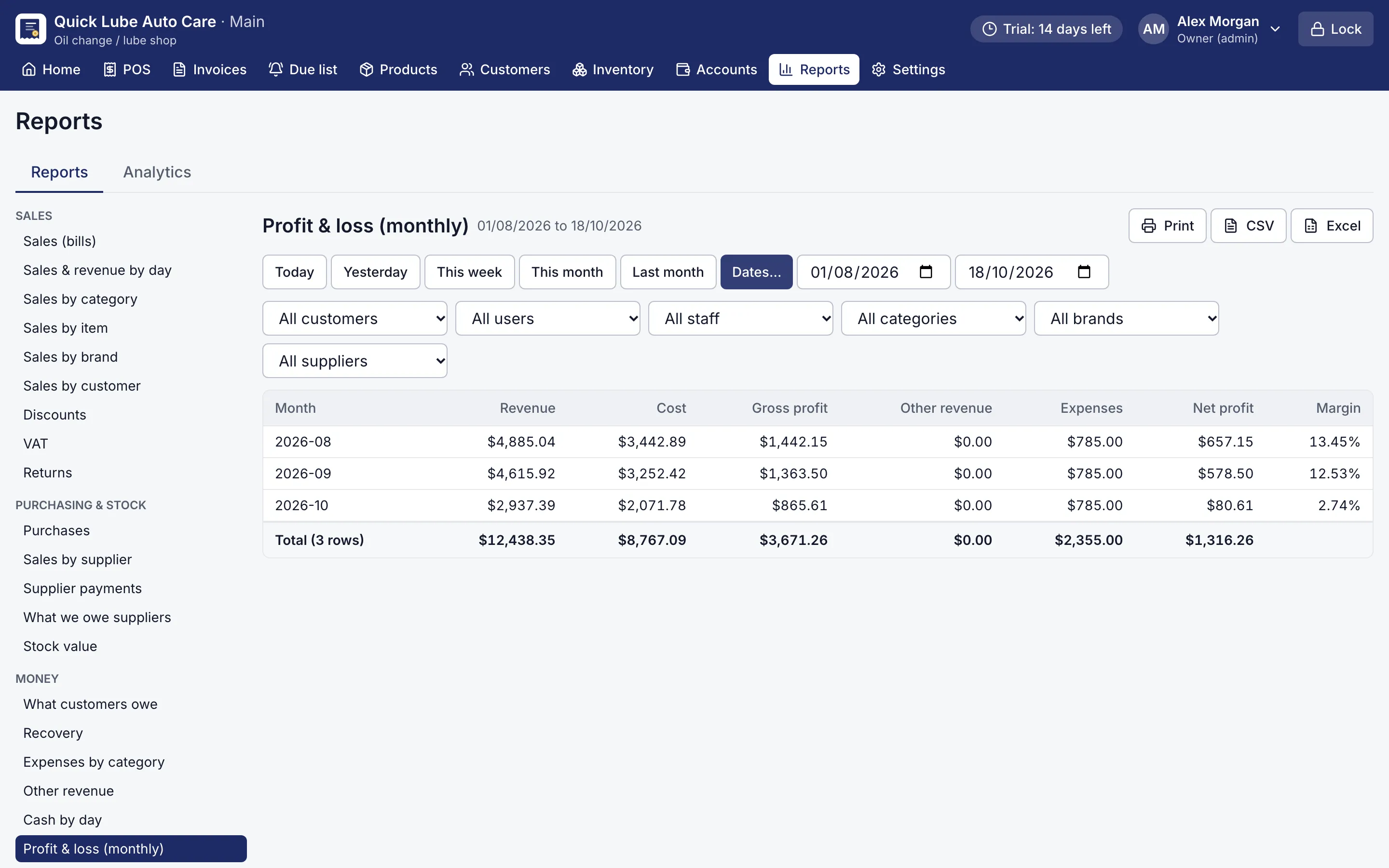
Monthly profit and loss report with revenue, cost, gross and net profit
Profit and loss report. 32 reports, each with print, CSV and Excel export.
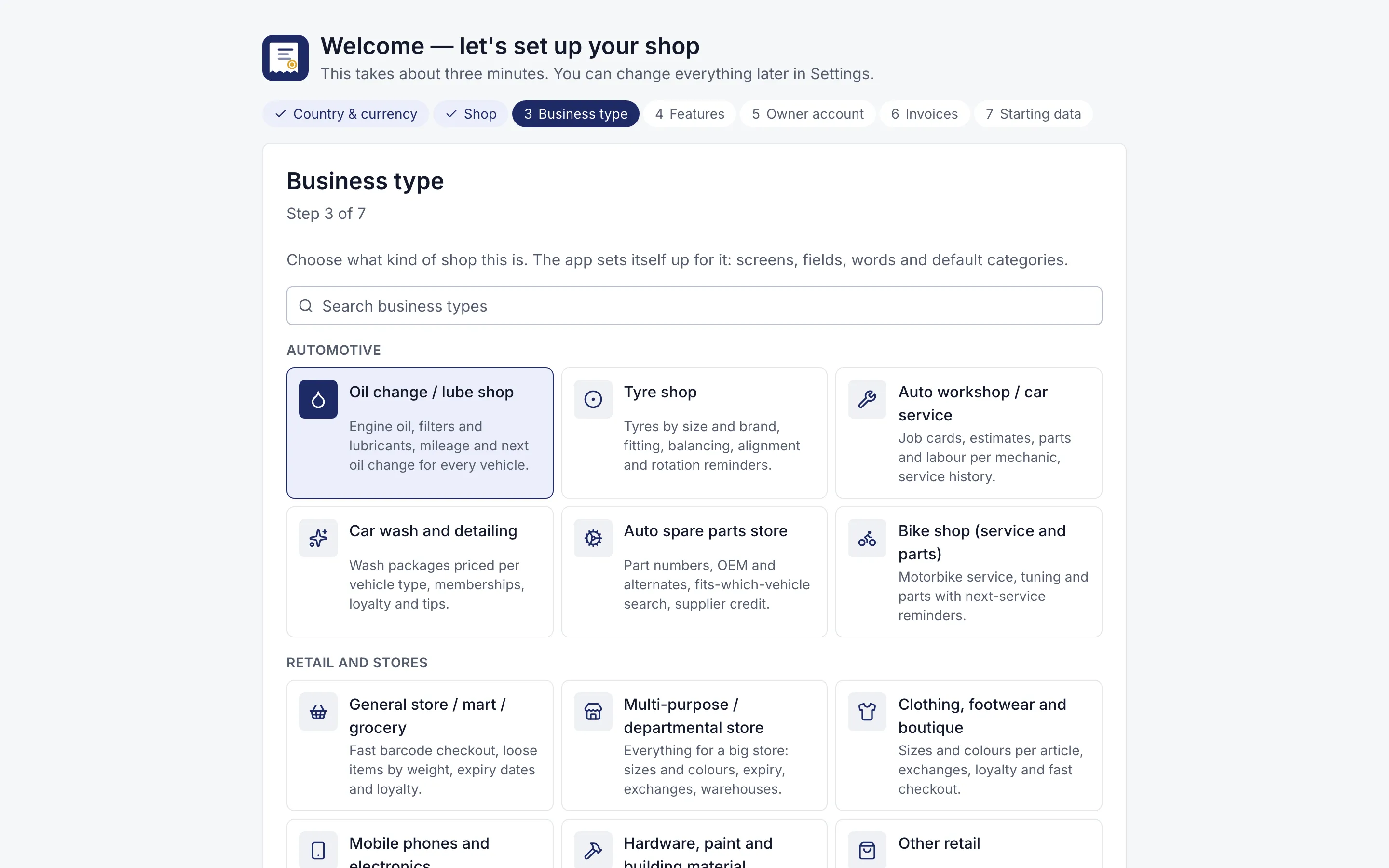
Setup wizard asking the business type, with 12 kinds of shop to choose
Three-minute setup. Choose your kind of shop; RMS switches on the right features and words.
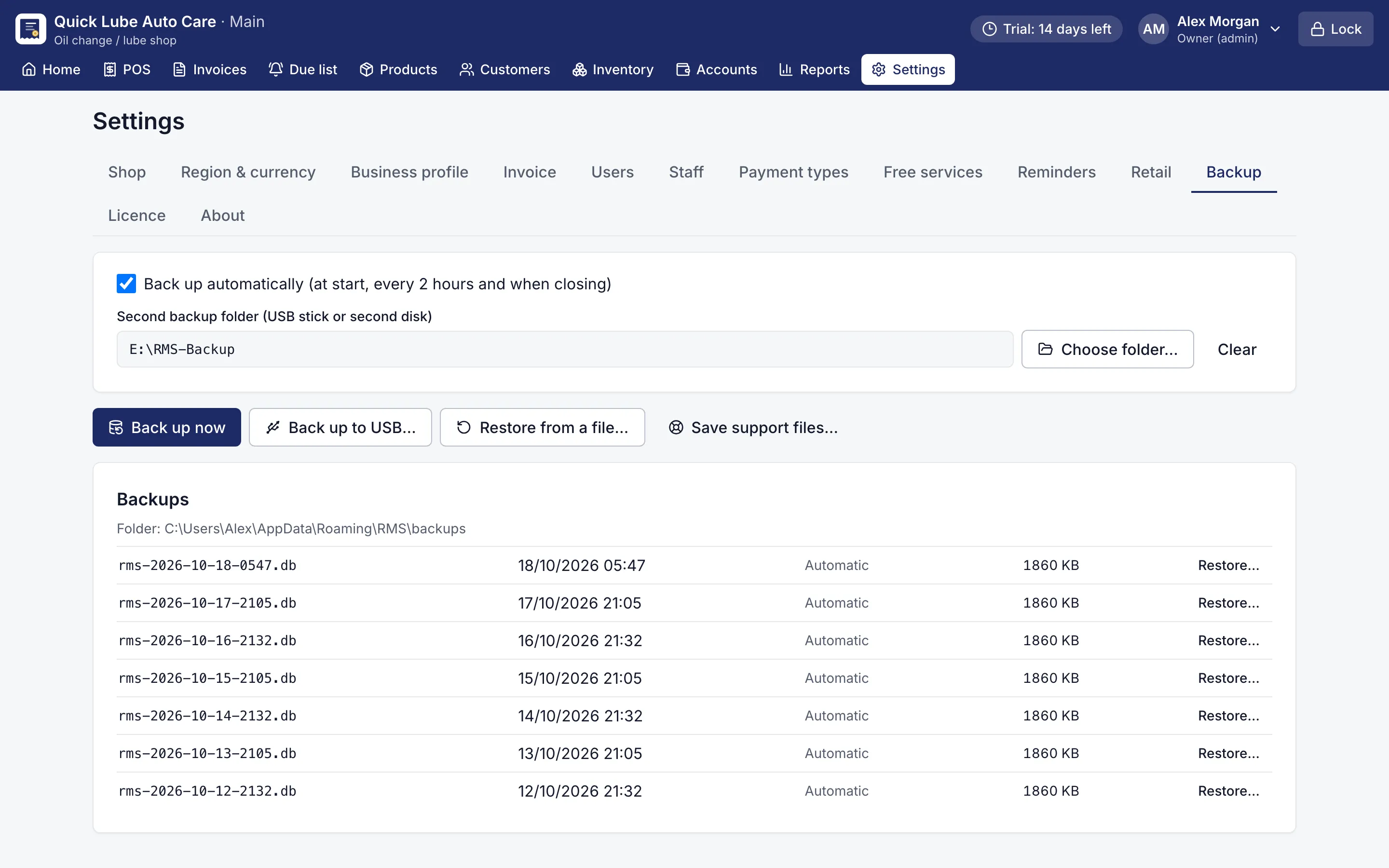
Backup settings with automatic backups, a USB folder and restore
Backups. Automatic backups, a second copy on USB, one-click restore.
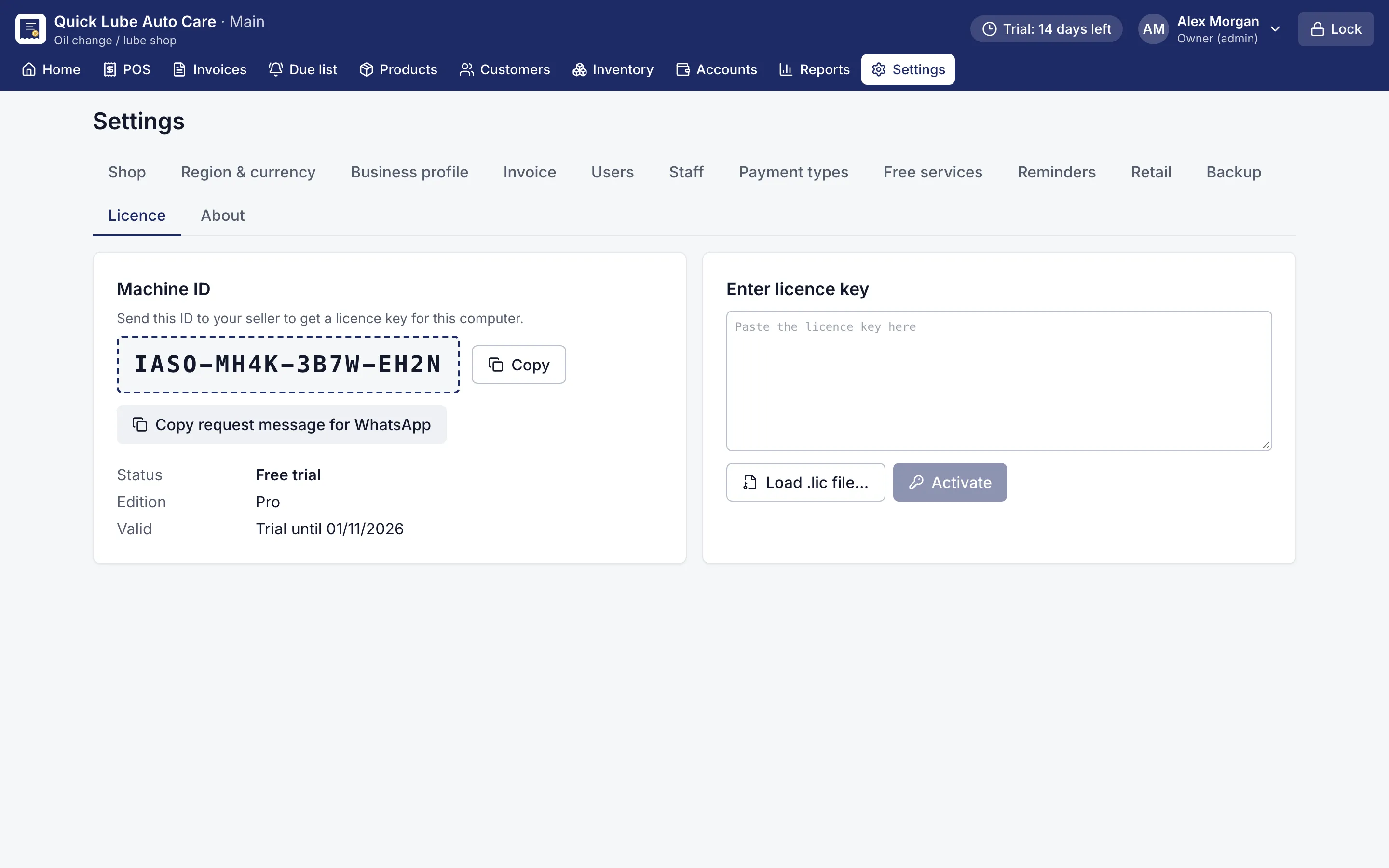
Licence screen with the Machine ID and a box to paste the licence key
Licence. Activate offline: send your Machine ID, paste the key.

See it on your own computer

Every Pro feature, no card needed. Keep it from USD 39 a year or pay once for life.

14-day trial · Windows, macOS, Linux · Works offline

Download free trial