
Skip to content
RMS

RMS for auto workshop shops

Auto repair shop software with job cards and estimates

RMS is offline auto repair shop software for garages and workshops. Open a workshop job card from the plate, record complaints, checklist, parts and labour per mechanic, print an estimate for approval, then turn the job into a bill with one key. It runs without internet on your own computer.

Last updated 18 October 2026

What problems does it solve?

A day at your counter with RMS

  1. 1

    Start the job

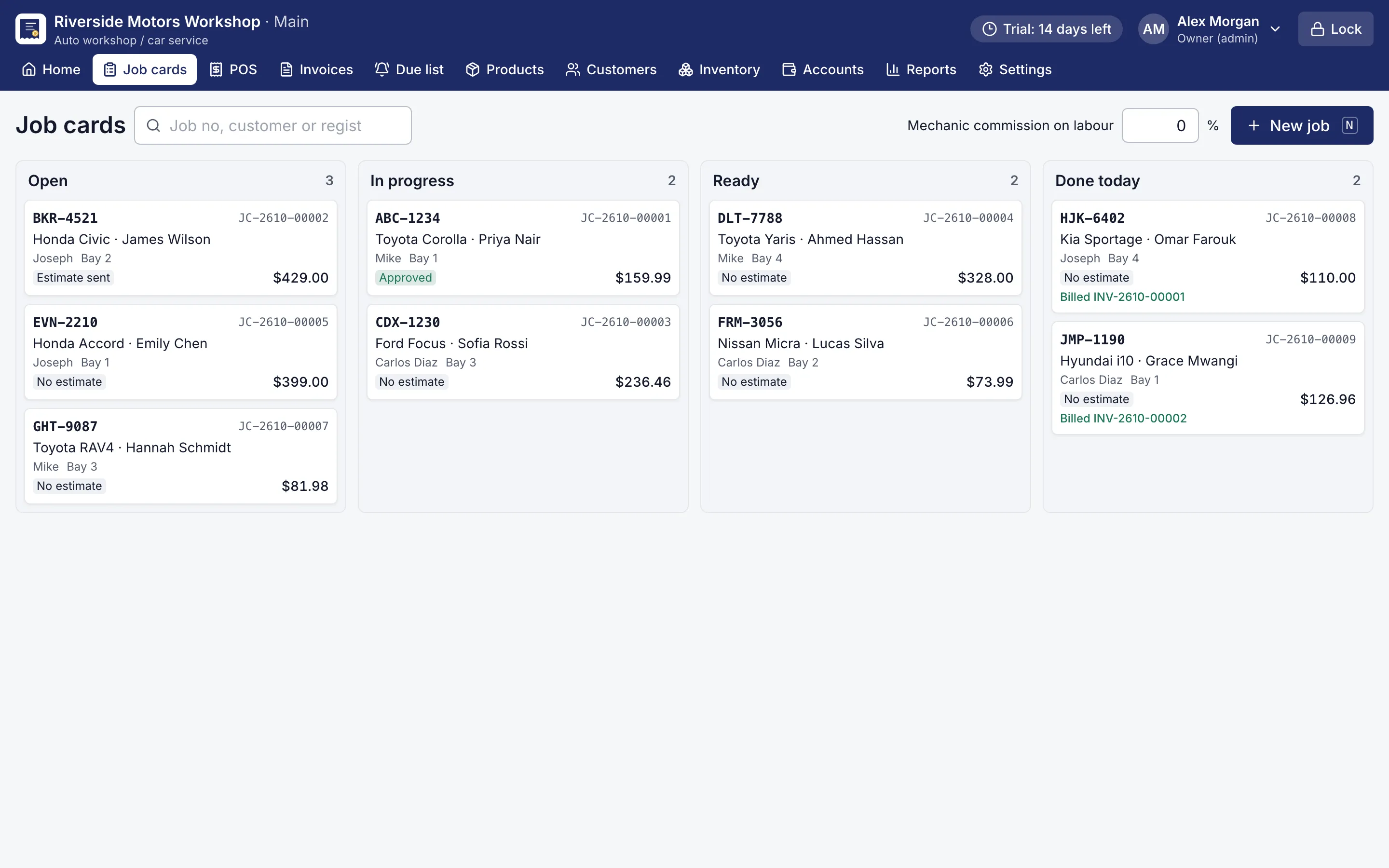
    Press N on the job board and type the plate. Add the odometer, fuel level and the customer's complaints.

    Board of workshop jobs in open, in progress, ready and done columns
    Job card board. Every job in the workshop at a glance.
  2. 2

    Fill the job card

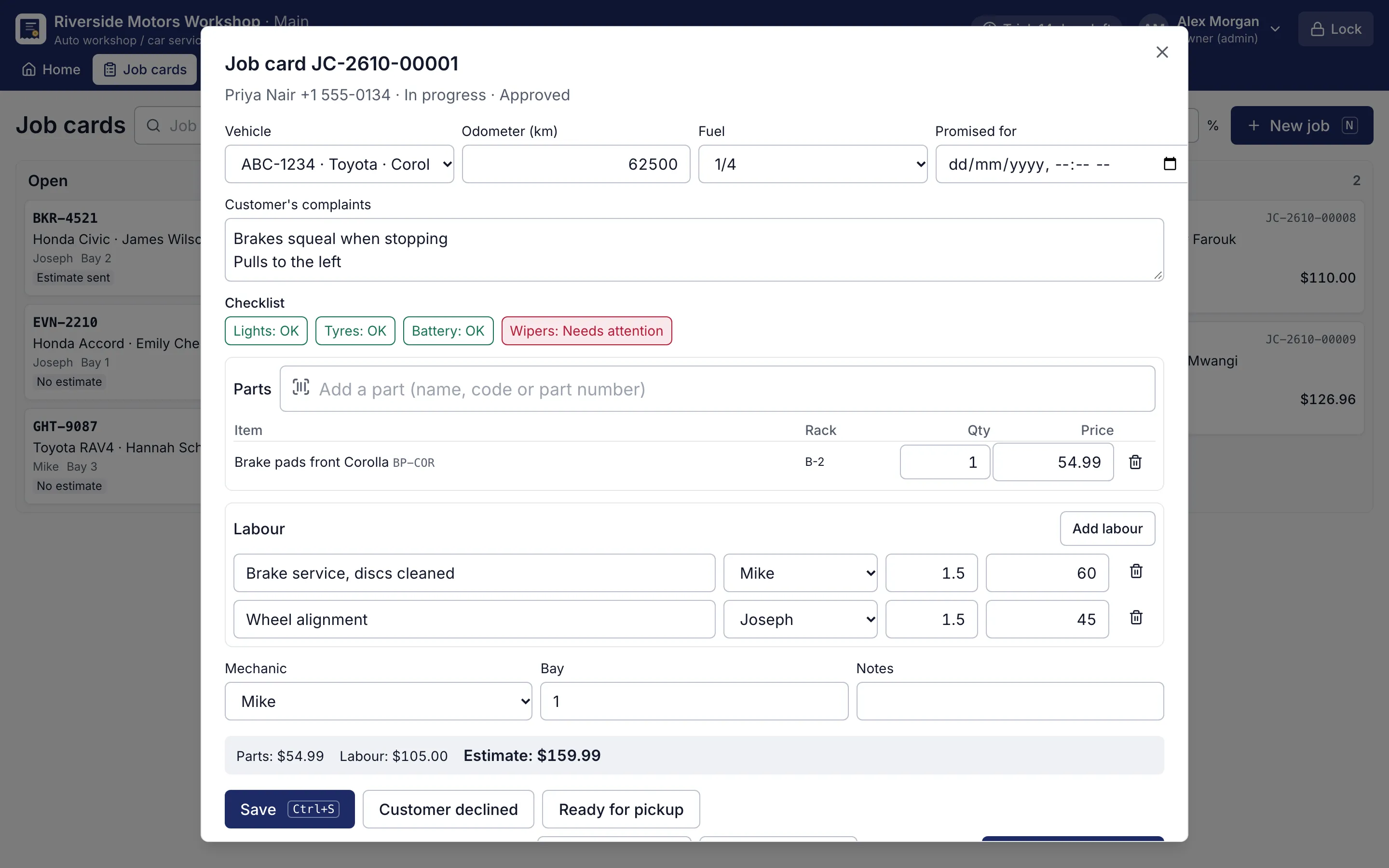
    Click the walk-around checklist, add parts and labour per mechanic with hours, the bay and the promised time.

    Job card with complaints, checklist, parts and labour per mechanic
    Workshop job card. Complaints, checklist, parts and labour per mechanic; Ctrl+I turns it into a bill.
  3. 3

    Get the estimate approved

    Print the estimate and mark it given, approved or declined. If an approved amount changes, it goes back for approval.

  4. 4

    Bill with one key

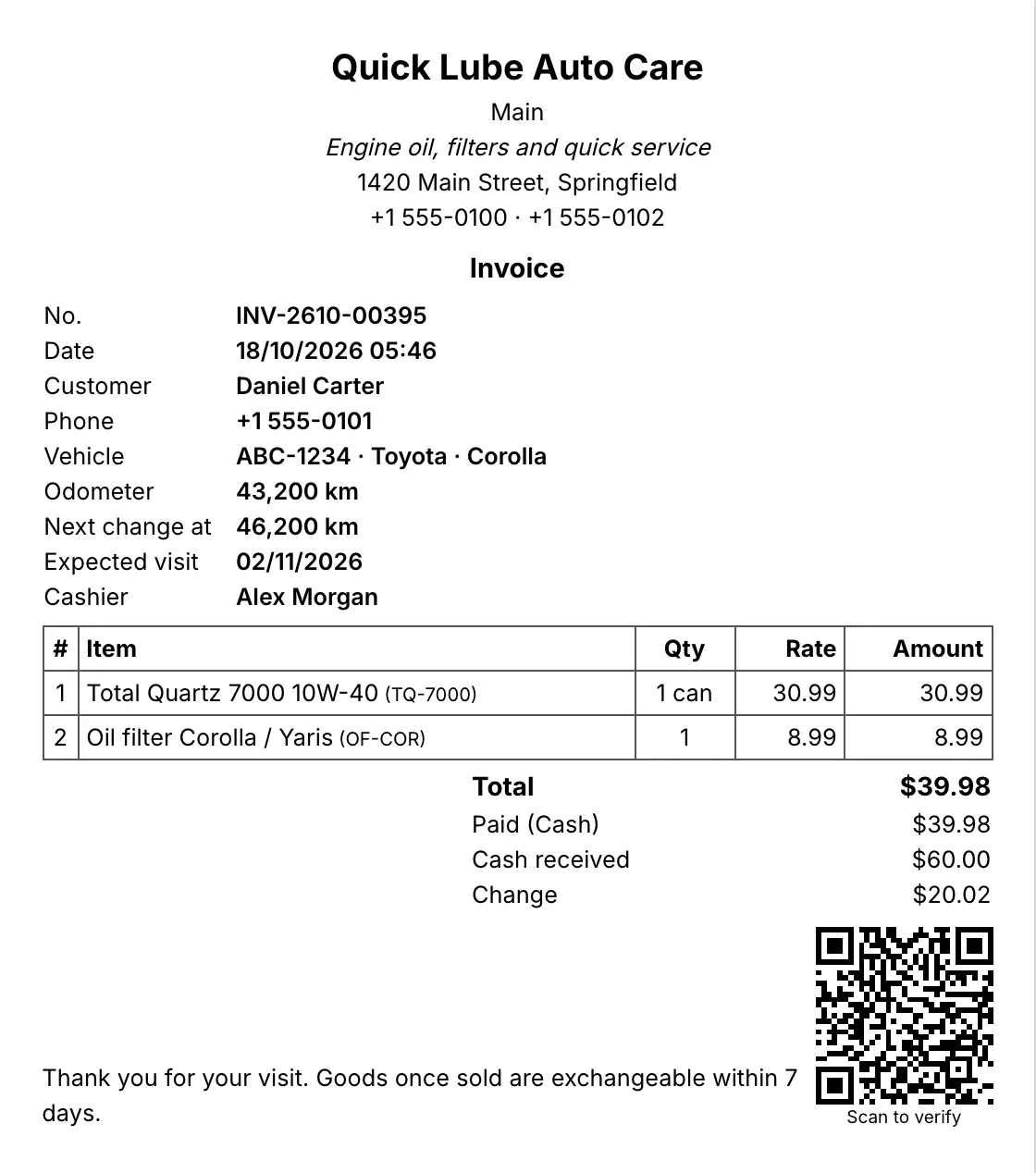
    Ctrl+I turns the job into a bill with parts, labour lines per mechanic and the bay. Saving marks the job delivered.

    A5 invoice with the shop's details, customer, vehicle, items and totals
    A5 invoice. A4, A5 or A6 invoices with your logo, tagline and footer.

Why does a repair shop need job cards, not just bills?

A workshop sells time and parts that are decided after the car is opened. A simple POS only sees the end of that story. RMS is auto repair shop software that starts when the car arrives: the workshop job card records the odometer, fuel, the customer’s complaints in their words, a walk-around checklist, and every part and labour line as the work happens.

The printed job card goes to the bay with rack locations for the parts, so the helper fetches the right filter the first time. The job board shows every car in the workshop in four columns, so the owner sees at a glance what is waiting, what is being worked on and what is ready for delivery.

How do estimates stop arguments at the counter?

Print the estimate for the customer before work starts and mark it approved when they agree. If the job grows and the amount changes, RMS moves the estimate back to waiting for approval, so nobody adds extra work to the bill without asking. When the customer collects the car, Ctrl+I turns the job card into a bill with nothing typed twice.

How is labour tracked per mechanic?

Each labour line names its mechanic and hours. The owner sets the mechanic commission on labour (Pro) once, and the reports do the rest:

  • labour by mechanic for any period;
  • commission per mechanic, ready to pay;
  • parts sold, by vehicle and by category;
  • what each customer owes, oldest first.

Labour that is not part of a job card can also be added at the counter with a description, amount and mechanic.

What happens after the car leaves?

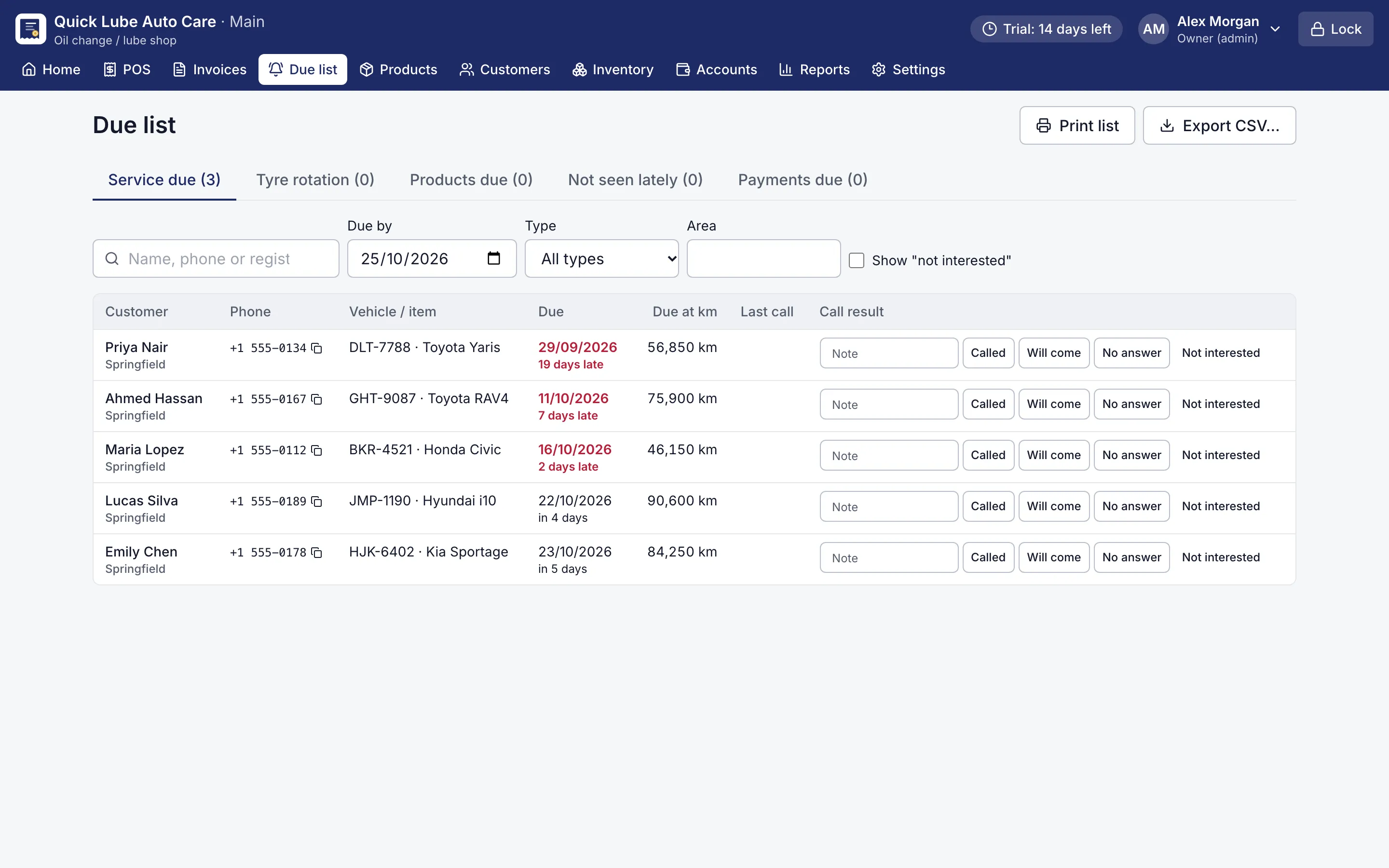
The vehicle’s history stays with its plate: every job, part and km reading. The Due list shows cars due for their next service, so you call the customer before they go elsewhere. Payments can be cash, card, mobile wallet or bank transfer, split across several of them, or on account for fleet and company customers. Invoices can carry your own tax name, such as VAT, GST or sales tax.

Start with your next job

Choose “Auto workshop” in the setup wizard and RMS opens on the job board with workshop categories and services ready. Every Pro feature is free for 14 days, no card needed.
Screens for auto workshop shops

Job card with complaints, checklist, parts and labour per mechanic
Workshop job card. Complaints, checklist, parts and labour per mechanic; Ctrl+I turns it into a bill.
Board of workshop jobs in open, in progress, ready and done columns
Job card board. Every job in the workshop at a glance.
A5 invoice with the shop's details, customer, vehicle, items and totals
A5 invoice. A4, A5 or A6 invoices with your logo, tagline and footer.
Due list of customers to call for service, with phone numbers and due dates
Due list. Who to call today: services, tyre rotation, products running out and payments due.

Questions shop owners ask

Can I give the customer an estimate before starting work?

Yes. Print the estimate from the job card and mark it given, approved or declined. If the amount of an approved estimate changes, RMS sends it back to waiting for approval.

How is mechanic commission worked out?

The owner sets a commission percentage on labour at the top of the job board. Each mechanic's labour lines feed the commission and labour by mechanic reports. Commission is a Pro feature.

Can I see every car in the workshop at once?

Yes. The job board shows open, in-progress, ready and done-today jobs, with a search box.

Does the workshop need internet for RMS?

No. RMS runs on one computer in the workshop and works fully offline, so a power cut or a dead line does not stop billing if the PC is on a UPS.

Can corporate or fleet customers pay later?

Yes. Put the bill on the customer's account with a promised date. Their statement shows every bill and payment with a running balance.

Other shops RMS is made for

Oil changeTyre shopCar washSpare partsBike shop

Try RMS in your auto workshop shop

Every Pro feature, no card needed. Keep it from USD 39 a year or pay once for life.

14-day trial · Windows, macOS, Linux · Works offline

Download free trial