
How does RMS work out the next service?
Every vehicle sits inside its customer with the plate, make, model, odometer and a “next change after” interval (3k, 5k or 10k km). When you type today’s odometer on the bill, RMS adds the interval to get the next change km. It also looks at how far the car usually drives each day and turns that into an expected visit date. A taxi that runs 150 km a day comes up much sooner than a family car that runs 20.
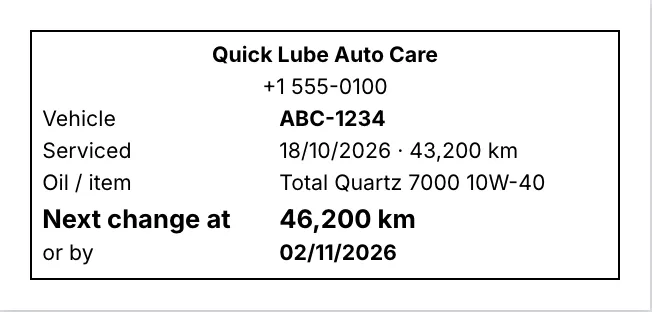
A car is due by km or by days since its last visit, whichever comes first. The next change km and date print on the bill and on a windscreen service sticker, so the driver sees it every day.
What is on the Due list?
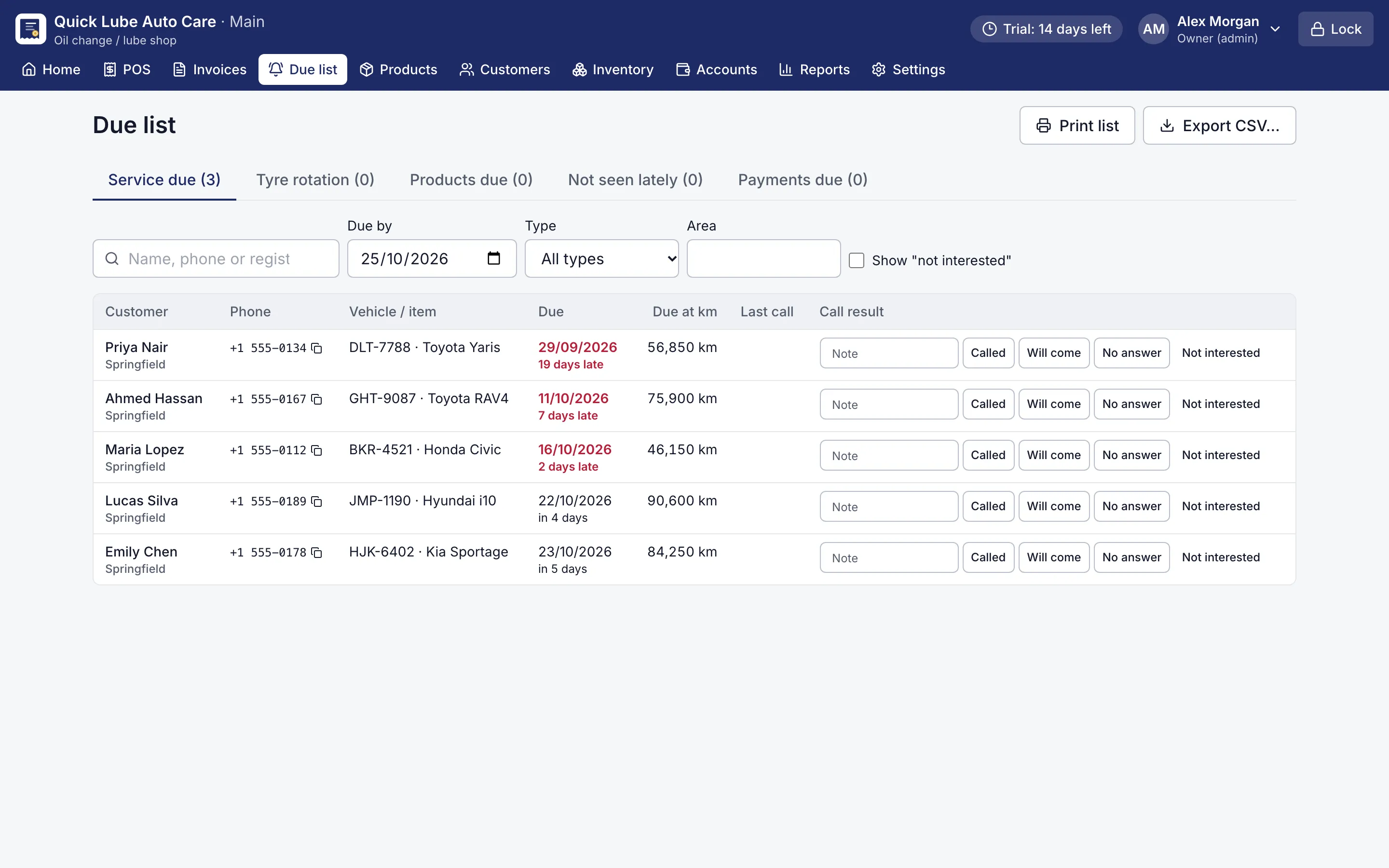
The Due list is your vehicle service reminder software in one screen: who to call today, with a count on each tab.
| Tab | Who appears |
|---|---|
| Service due | Vehicles due by km or by days |
| Tyre rotation | A set km after tyres were fitted or rotated |
| Products due | Products with a reminder in days or km, such as a battery check |
| Not seen lately | Customers with no visit for a set number of days |
| Payments due | Customers owing more than a set amount for too long, or past their promised date |
Set the rules and how many days early in Settings → Reminders.
How do I use it every day?
Open the Due list in the morning, filter by area or vehicle type, and click a phone number to copy it. Call from the shop phone, or send your own WhatsApp from your mobile. Record what happened: Called, Will come, No answer or Not interested, with a note. If staff prefer paper, Print list or Export CSV gives them a calling sheet.
When the car comes back and is billed, its reminder closes by itself and the next one starts. RMS does not send SMS or WhatsApp messages itself, so the call stays personal and in your hands.
The owner’s dashboard also lists vehicles due within seven days under Needs attention. Everything works offline on the shop’s own computer. Download the free 14-day trial and see which of your regulars are due this week.