
Why use job cards instead of slips?
A paper slip on the windscreen tells the mechanic what to do, but it rarely makes it to the bill intact. RMS workshop job card software keeps the whole job in one place, from the complaint to the final bill, so every part fitted and every hour of labour is charged.
How does a job move through the workshop?
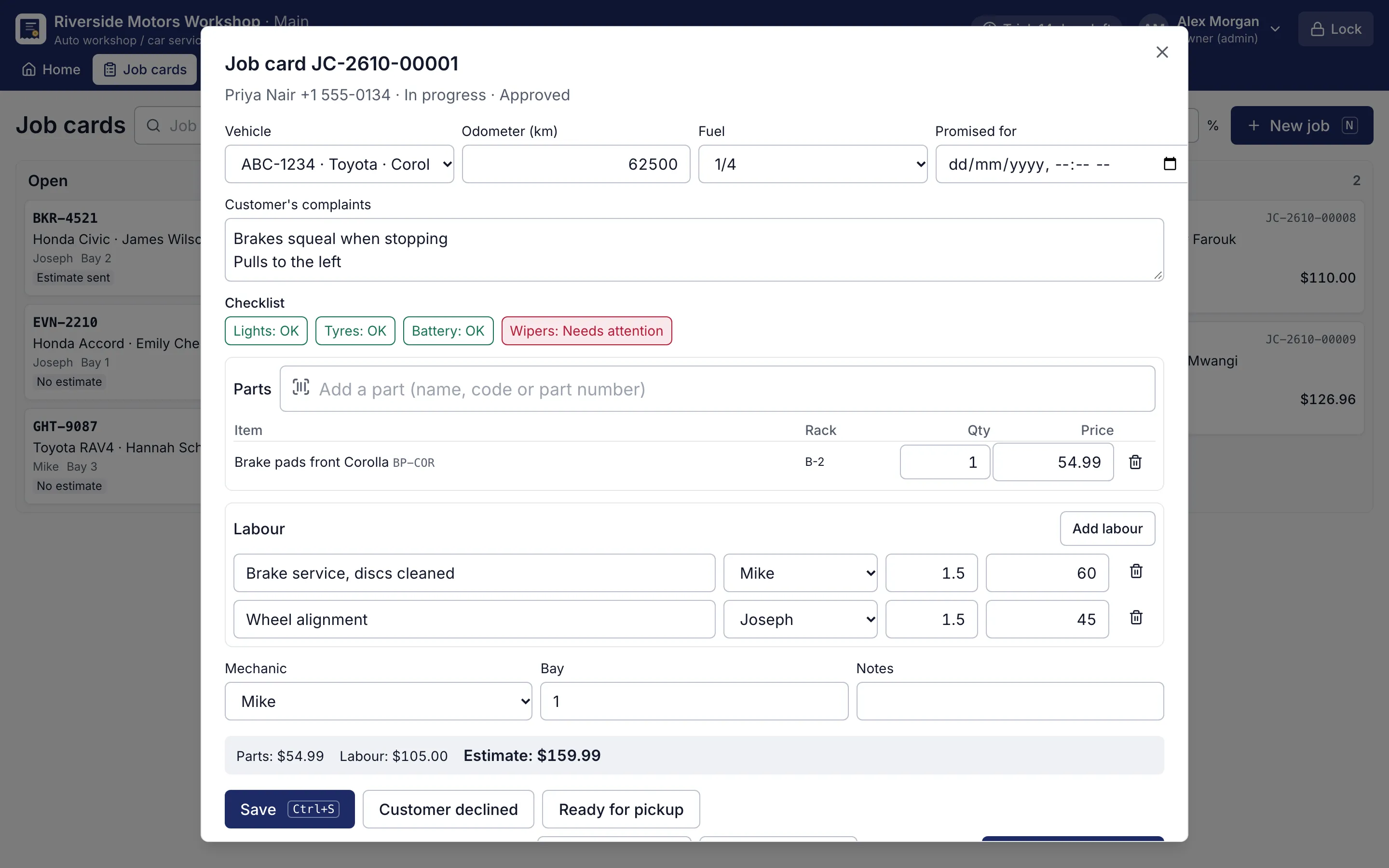
- Open the job. Press N and type the plate. Note the odometer, fuel, the customer’s complaints, the bay and the promised time.
- Walk around the car. Click each item on the walk-around checklist to mark it before work starts.
- Add parts and labour. Each labour line goes to a mechanic. Rack locations print on the job card so parts are found quickly.
- Get approval. Print the estimate and mark it given, approved or declined. A changed amount goes back for approval.
- Bill it. Ctrl+I opens the POS with parts, labour per mechanic and the bay. Save, and the job is delivered.
Ctrl+S saves the job card at any point.
What does the job board show?
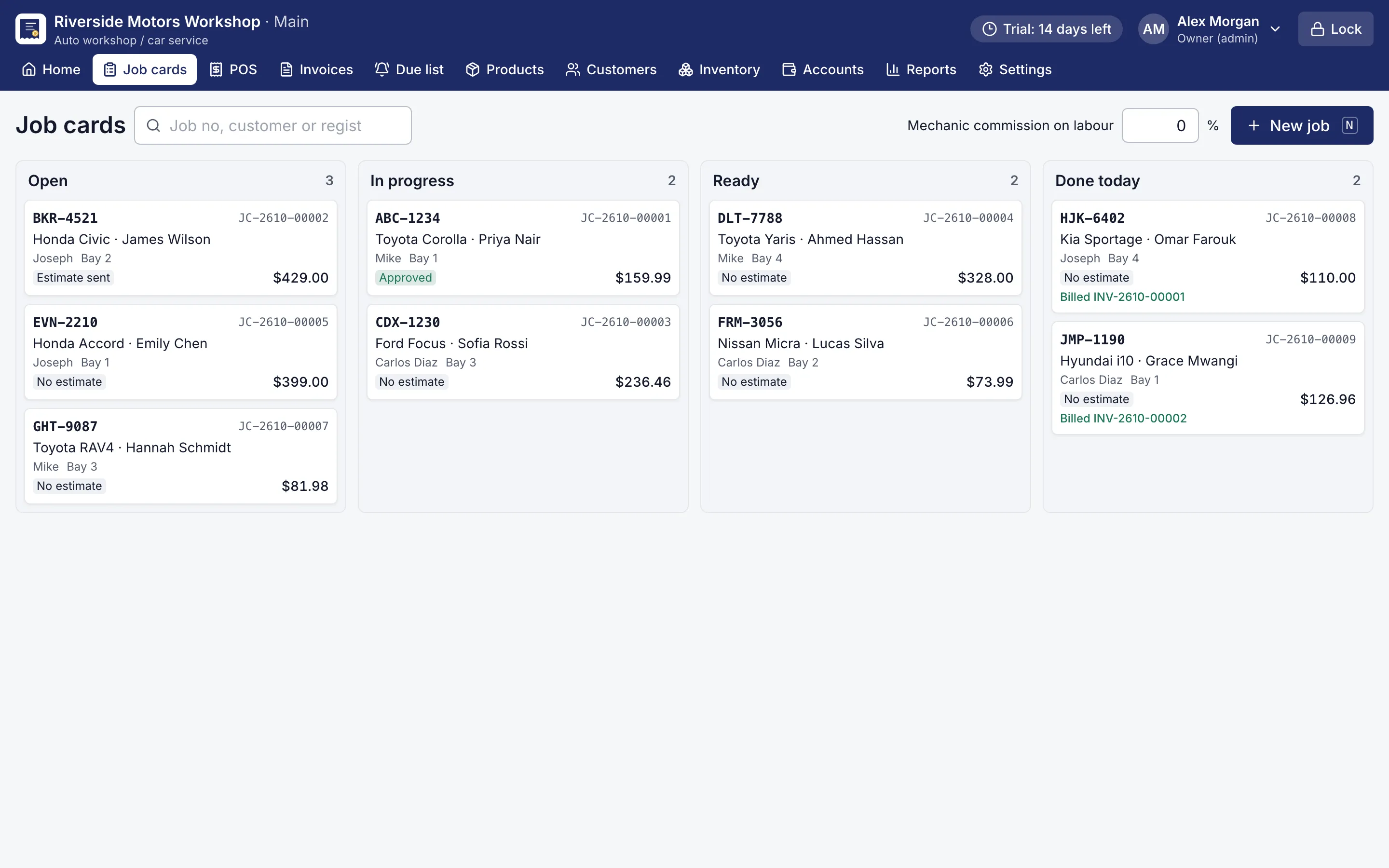
Every job in the workshop at a glance, in four columns:
| Column | Meaning |
|---|---|
| Open | Received, not started |
| In progress | Being worked on |
| Ready | Waiting for the customer |
| Done today | Billed and delivered today |
Jobs in the workshop also show under Needs attention on the owner’s dashboard.
How are mechanics paid on labour?
The owner sets the mechanic commission on labour at the top of the board, for example 10 % of labour. RMS works it out from each mechanic’s labour lines when the job is billed. The labour by mechanic report shows who brought in what, so month-end settling with mechanics takes minutes instead of an argument.
Customers on credit can take the car and pay later: the bill goes on their customer account like any other. The car’s service history keeps the job, and the Due list reminds you when it is due again.
The whole workshop runs offline on one computer, through power cuts and internet outages. Download the free 14-day trial and open your first job card today.