
Skip to content
RMS

Feature

Automatic backups and secure shop data

RMS keeps a shop's data safe on its own computer. It backs up automatically at start, every 2 hours and at close, can keep a second copy on a USB stick, and restores a chosen backup after a preview and confirmation. Each user has a PIN or password and their own permissions, and an audit trail detects outside changes.

Last updated 18 October 2026

What problem does it solve?

A hard disk fails, a PC is stolen, or a power cut corrupts files, and years of customer credit and sales records are gone. Meanwhile any staff member who knows the computer can change a bill or give a discount without the owner knowing.

What do you get?

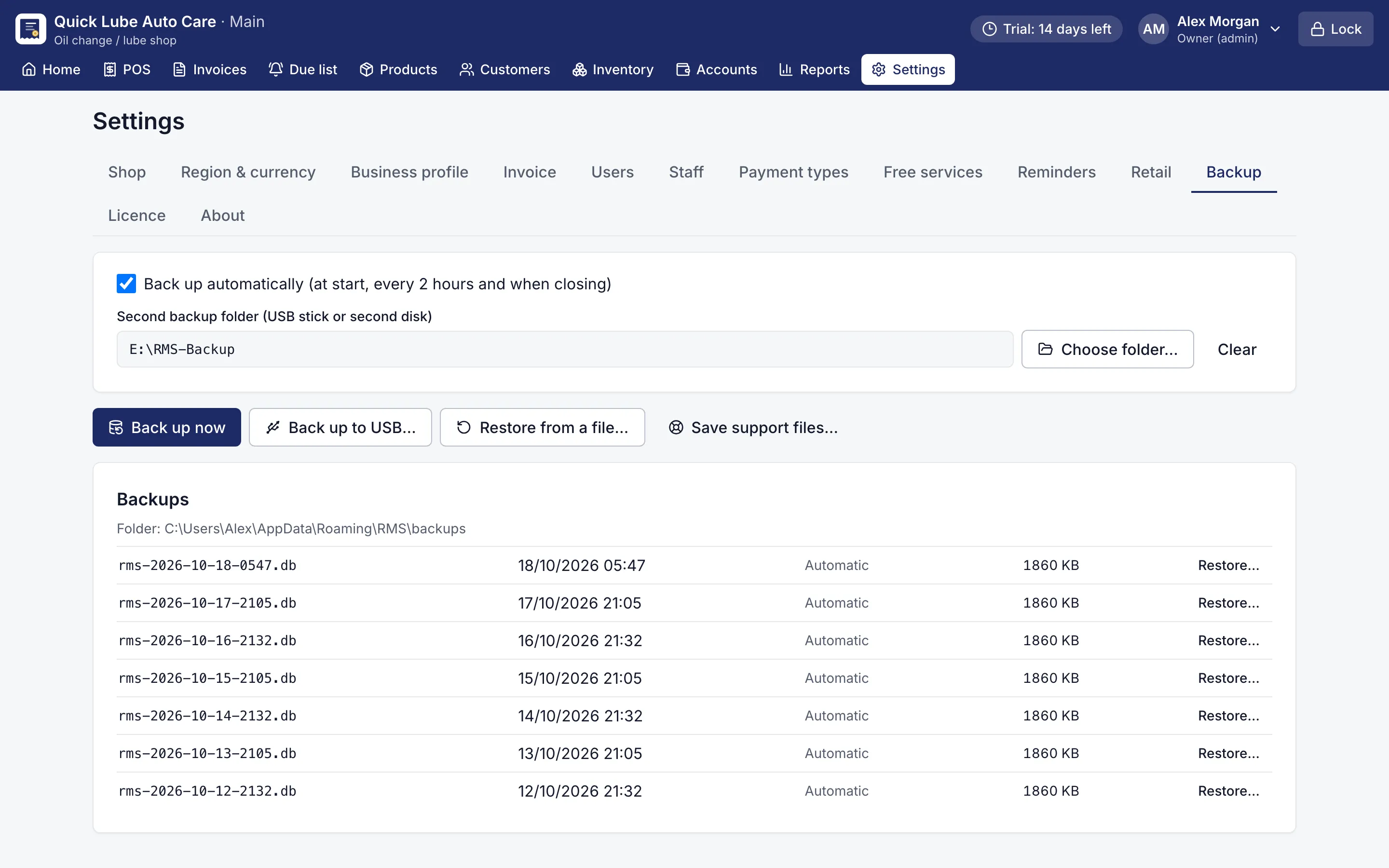
  • Automatic backups when the app starts, every 2 hours while it is open and when it closes; each backup is checked after it is written.
  • The app keeps the last 30 days of backups and one per month for a year.
  • A second backup folder on a USB stick or second disk receives a copy of every automatic backup.
  • Restore shows a preview (shop, business type, invoices, customers, dates), backs up your current data first, then restarts with the restored data.
  • Each user signs in with a 4-digit PIN or a password, and five wrong attempts lock that user for 2 minutes.
  • Owners, managers and cashiers get their own permissions, such as editing invoices, seeing reports, downloads and the largest discount they may give.
  • The screen locks with Ctrl+L and by itself after 15 minutes without activity.
  • Verify integrity detects changes made to the database outside the app, and turning the PC clock back is blocked.
  • A recovery code shown at setup resets the owner's PIN or password if it is forgotten.
Backup settings with automatic backups, a USB folder and restore
Backups. Automatic backups, a second copy on USB, one-click restore.
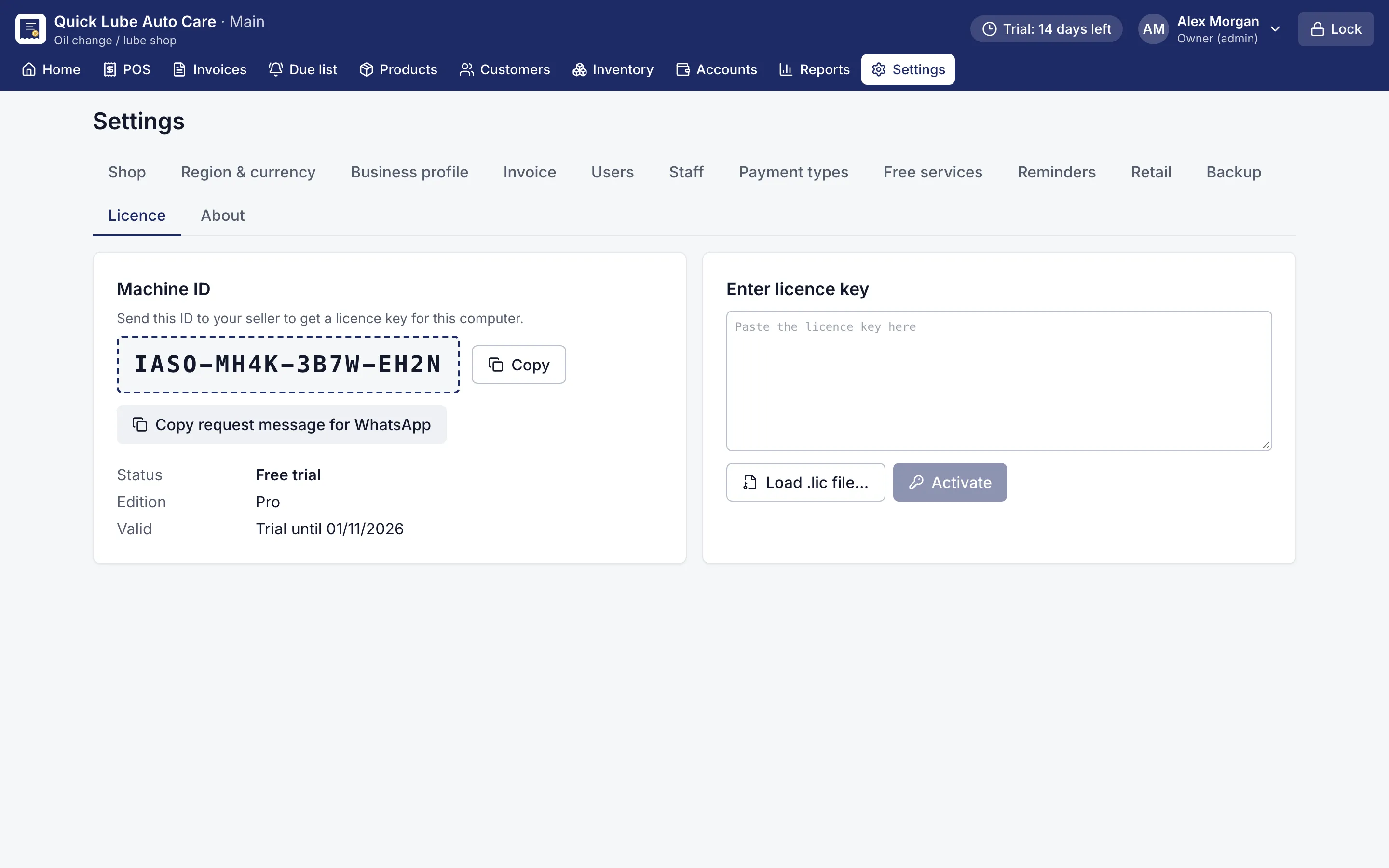
Licence screen with the Machine ID and a box to paste the licence key
Licence. Activate offline: send your Machine ID, paste the key.

Where is my shop data kept?

On your own computer, in one database file, with backups in a folder next to it. Nothing is sent over the internet and there is no cloud copy. That means no monthly fee to keep your records and no one else holding them, but it also means the backup copy is your responsibility. RMS makes that as easy as plugging in a USB stick.

How do automatic backups work?

When What happens
App starts A backup is taken and checked
Every 2 hours Another backup while the app is open
App closes A final backup of the day
Each backup Copied to your second folder (USB stick or second disk), if set

RMS keeps the last 30 days and one backup per month for a year. Go to Settings → Backup → Second backup folder and pick a USB stick. Take the stick home at night and a fire or theft at the shop does not take your records with it.

To restore, choose a backup and check the preview of shop, invoices, customers and dates. Type RESTORE to confirm. Your current data is backed up first, so a wrong restore can be undone. In testing, a full day backed up and restored on a fresh installation gave identical reports, balances, stock and cash.

How does RMS keep staff honest?

Every user signs in with their own PIN or password. The owner decides what each person may do: add stock, edit or delete invoices, see reports and expenses, download files, or view the dashboard, plus the largest discount they may give. A corrected or deleted bill needs a reason, and the owner can still see it.

Verify integrity in Settings detects changes made to the database outside the app. If someone turns the PC clock back to change an old day, RMS blocks business entries until the date is fixed. The screen locks after 15 minutes idle, or at once with Ctrl+L.

What if the licence ends?

RMS becomes read-only, never locked. You can still view, print, export and back up every record.

Download the free 14-day trial, set a USB backup folder on day one, and keep your shop’s records safe through power cuts and hardware failures.

Which shops use it?

Questions shop owners ask

Does RMS back up to the cloud?

No. RMS keeps backups on the shop's own computer and, if you choose, copies each one to a USB stick or second disk. Keeping a copy away from the shop is up to you.

How often does RMS back up?

Automatically when the app starts, every 2 hours while it is open and when it closes. It keeps the last 30 days and one backup per month for a year.

How do I move my data to a new computer?

Install RMS on the new computer and restore the latest backup. A licence moves to a new PC free once every 12 months.

Can my cashier delete a bill without me knowing?

Only if you give them that permission, and a deleted bill needs a reason and stays visible to the owner. Stock and balances are put back.

What happens to my data if my licence ends?

RMS becomes read-only. You can still view, print, export and back up your records; your data is never locked away.

More features

POS & billingInventory & purchasingCustomer creditReports & dashboardService remindersJob cardsPrinting & receiptsWorks offline

Try RMS free for 14 days

Every Pro feature, no card needed. Keep it from USD 39 a year or pay once for life.

14-day trial · Windows, macOS, Linux · Works offline

Download free trial