
Skip to content
RMS

Feature

Offline POS software that works without internet

RMS is offline POS software for independent shops anywhere. Selling, printing, reports, backups and licence activation all work without internet, and the shop's data stays on its own computer. It runs on Windows, macOS and Linux, installs without internet, and keeps searching under 200 milliseconds with 50,000 customers.

Last updated 18 October 2026

What problem does it solve?

Cloud POS needs a working connection to bill, look up a customer or print. When the internet drops or the power goes, the counter stops and customers wait.

What do you get?

  • Selling, printing, reports, backups and licence activation all work without internet.
  • All data stays in one file on the shop's own computer; there is no account, login website or server.
  • The Windows installer includes everything it needs and installs without internet.
  • Runs on Windows 10/11 (64-bit), Windows 10 (32-bit), macOS and Linux.
  • Searching stays under 200 milliseconds with 10,000 items and 50,000 customers.
  • Every bill is saved the moment you save it, and the database is checked each time RMS starts.
  • Automatic backups at start, every 2 hours and at close, with an optional second copy on a USB stick.
  • Licence keys are activated offline by pasting a key.
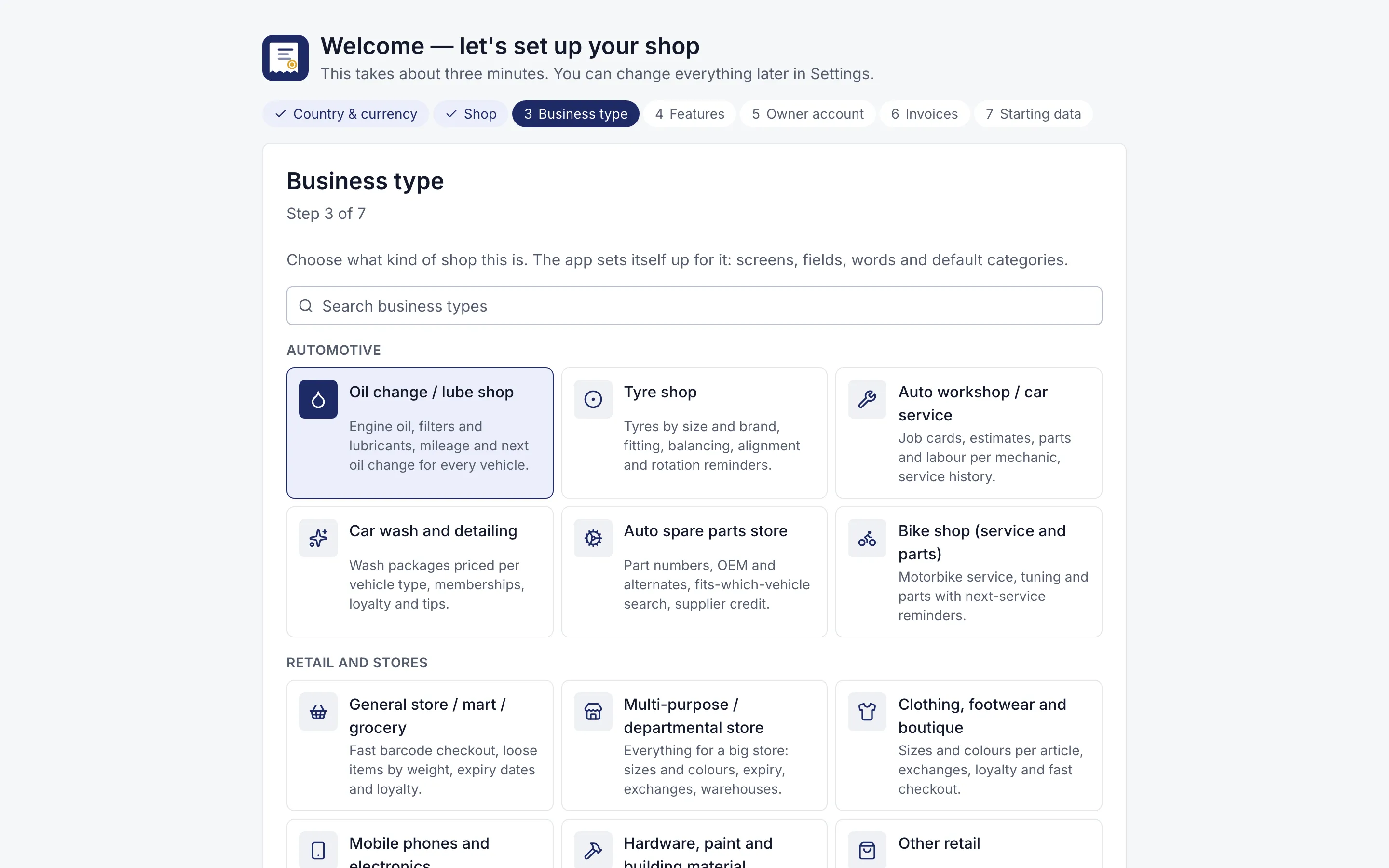
Setup wizard asking the business type, with 12 kinds of shop to choose
Three-minute setup. Choose your kind of shop; RMS switches on the right features and words.
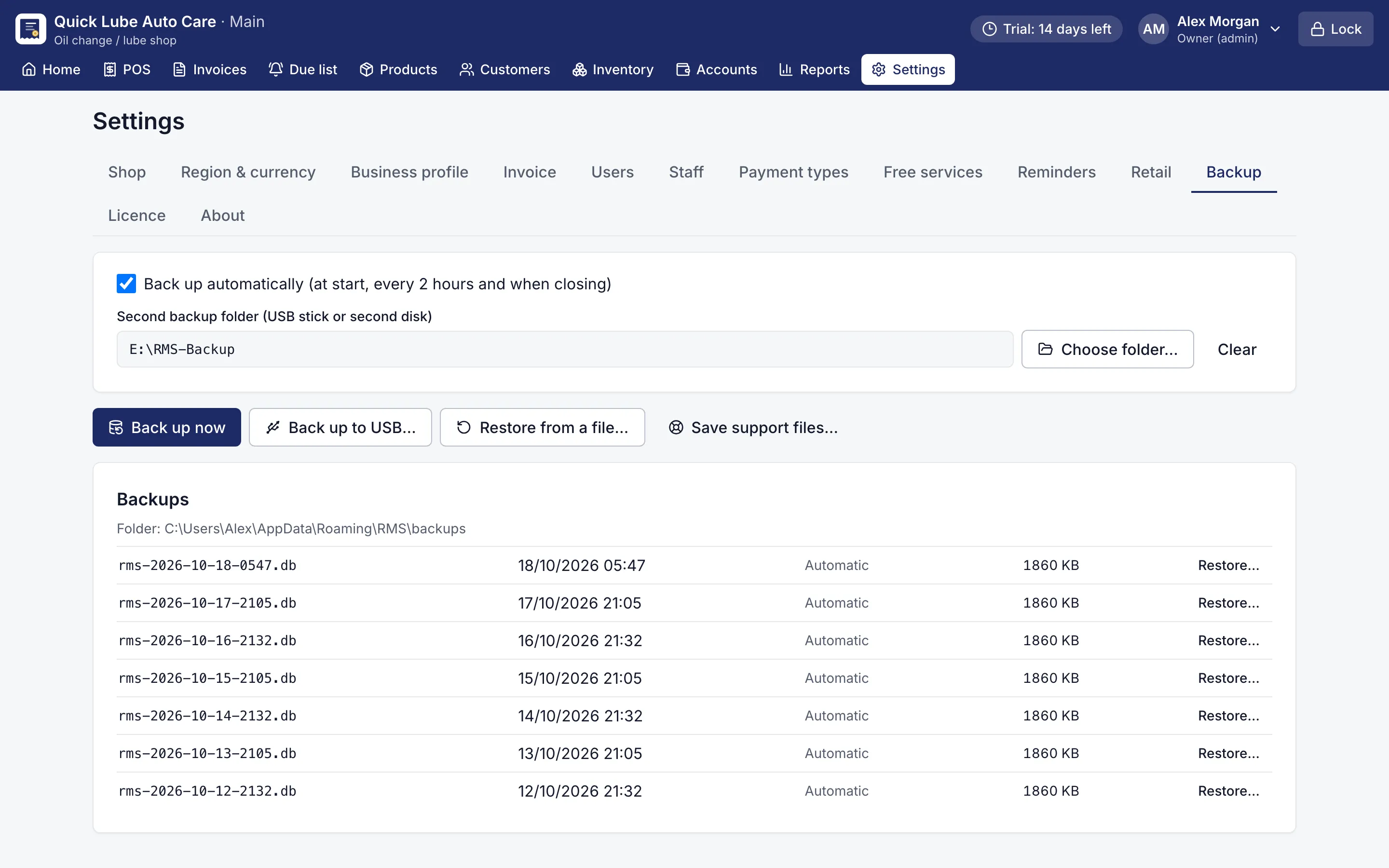
Backup settings with automatic backups, a USB folder and restore
Backups. Automatic backups, a second copy on USB, one-click restore.

Why does shop software need to work offline?

Because in many markets the internet is the first thing to fail. Cloud POS needs a connection to bill, look up a customer or print. When the line drops, the counter stops and the queue grows.

RMS needs no internet at all:

Task Needs internet?
Billing and printing No
Customer and stock search No
Reports and dashboard No
Backups and restore No
Installing on Windows No
Licence activation No

The shop’s data stays in one file on its own computer. There is no account to sign into and no server that can go down. Searching stays under 200 milliseconds with 10,000 items and 50,000 customers.

What about power cuts?

RMS saves every bill the moment it is saved, and checks the database each time it starts. Keep the PC on a UPS so a power cut does not switch it off mid-bill, and billing carries on while the generator starts. Automatic backups run at start, every two hours and at close, and can keep a second copy on a USB stick.

How does offline licence activation work?

Open Settings → Licence and copy the request message with your Machine ID. Send it to the seller from your phone (WhatsApp is fine). Paste the key you get back, or load the licence file, and click Activate. The computer itself never goes online.

Which computers does it run on?

Windows 10 and 11 (64-bit), Windows 10 (32-bit), macOS, and Linux as a .deb package or AppImage. An ordinary shop PC or laptop is enough.

Download the free 14-day trial, no card needed, and run your counter with or without internet.

Which shops use it?

Questions shop owners ask

Does RMS need internet at all?

No. Selling, printing, reports, backups and licence activation all work without internet. The shop's data stays on its own computer.

Do I need internet to activate the licence?

No. Send your Machine ID to the seller, for example by WhatsApp from your phone, and paste the key you receive. Activation itself is offline.

What happens to my data if the internet is down for days?

Nothing. RMS never needs the internet; the data is on your own computer and every feature keeps working.

What should I do about power cuts?

Keep the PC on a UPS so a power cut does not switch it off mid-bill. RMS saves each bill the moment it is saved and backs up automatically at start, every 2 hours and at close.

Does RMS sync between branches or have a mobile app?

No. RMS is not a cloud service. There is no web login, mobile app or live sync between branches.

More features

POS & billingInventory & purchasingCustomer creditReports & dashboardService remindersJob cardsPrinting & receiptsBackups & security

Try RMS free for 14 days

Every Pro feature, no card needed. Keep it from USD 39 a year or pay once for life.

14-day trial · Windows, macOS, Linux · Works offline

Download free trial