
Skip to content
RMS

RMS for clothing shops

Clothing store POS software for sizes, colours and exchanges

RMS is offline clothing store POS software with size and colour tracking for clothing, boutique and footwear shops. Make sizes and colours with their own barcode, price and stock, exchange a shirt for another size in a few steps, and reward regular customers with loyalty points. It runs on your own computer without internet.

Last updated 18 October 2026

What problems does it solve?

A day at your counter with RMS

  1. 1

    Make the variants

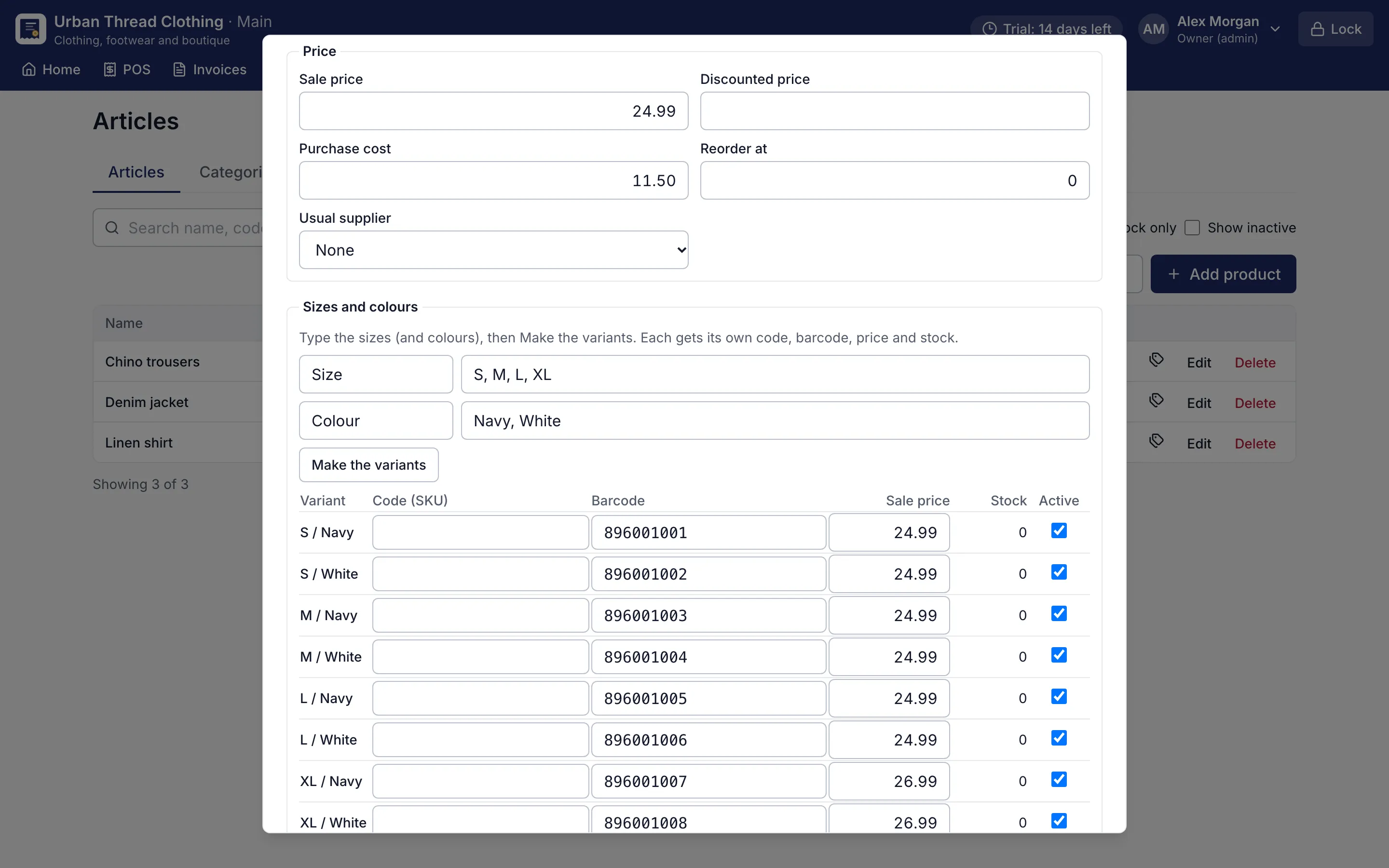
    Type the sizes and colours in the product form and press Make the variants. Each gets its own code, barcode, price and stock.

    Product form making size and colour variants with their own barcodes and prices
    Sizes and colours. Type the sizes and colours; each variant gets its own barcode, price and stock.
  2. 2

    Print the tags

    Print 50 × 30 mm barcode labels with the price for everything received.

  3. 3

    Scan to sell

    Scan the tag; the exact size and colour goes on the bill and its stock goes down.

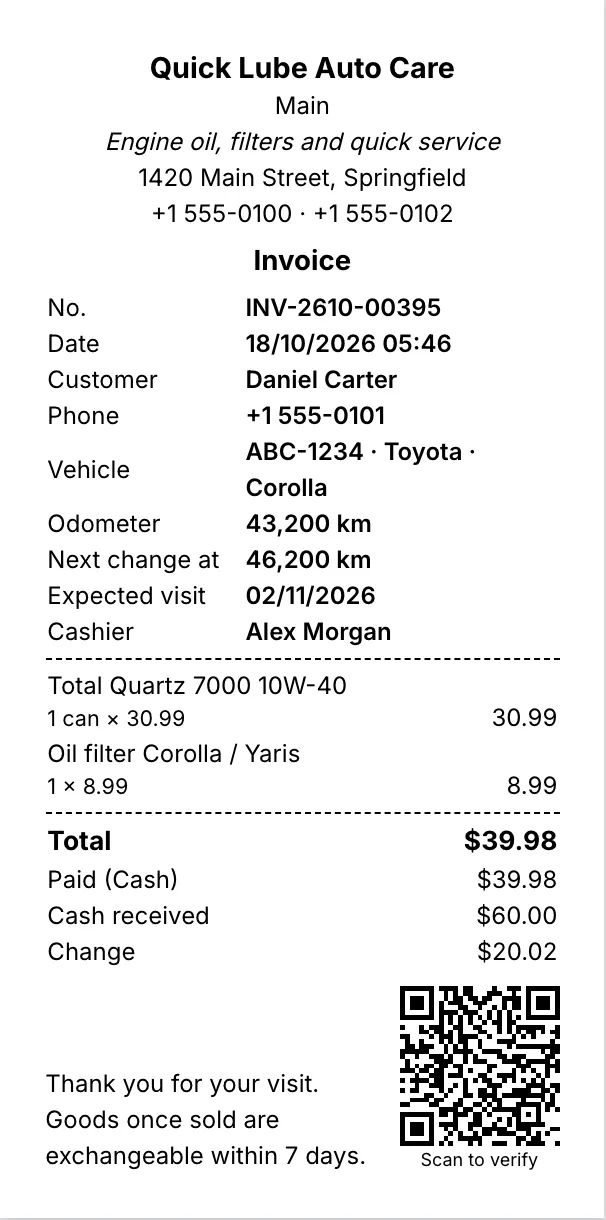
    80 mm thermal receipt with items, total, change and a QR code
    80 mm thermal receipt. Every printout shows the saved figures and a QR code that proves the shop issued it.
  4. 4

    Exchange in seconds

    Open the bill, choose Exchange, pick what comes back, then sell the new size. RMS works out the difference.

  5. 5

    Points for regulars

    The customer's points show at the counter and can be spent on the bill.

Why do clothes shops need their own POS?

A single shirt design can come in six sizes and four colours: 24 different items on the shelf. A clothing store POS has to treat each of them as its own stock while letting you set them up as one product. RMS does this with variants. Type the sizes and colours once, press Make the variants, and every combination gets its own barcode, price and stock.

Print the barcode tags and scan them at the counter. The bill shows the exact size and colour, and the stock list tells you that medium is sold out while large still has five, before a customer asks.

How does RMS handle exchanges and returns?

Exchanges are part of every clothing business, especially after holidays, festivals and wedding season. In RMS, open the original bill and choose Exchange. Choose what is coming back and the counter opens with that value as credit. Sell the new size or design and save:

  • if the new item costs more, the customer pays the difference;
  • if it costs less, give the rest back in cash or keep it as store credit;
  • a credit note prints for the goods brought back.

A returns policy sets how many days a customer has. Later returns need the owner, so staff cannot bend the rule.

How do I reward regular customers?

Loyalty points bring families back season after season. Customers earn points on what they pay, either at a shop rate or per category, and spend them on later bills. Their points show at the counter as soon as they are chosen. Coupons (Pro) can run a sale with a minimum bill and an end date.

The reports show sales by size and colour, exchanges and loyalty points, so you can buy next season’s stock in the sizes that actually sell.

Try it before your next season

RMS runs offline on your own computer, so billing keeps going through power cuts and slow internet. Take cash, card, mobile wallet or bank transfer, or split one bill across them, in your own currency. Choose “Clothing” in the setup wizard and use every Pro feature free for 14 days, with no card needed.
Screens for clothing shops

Product form making size and colour variants with their own barcodes and prices
Sizes and colours. Type the sizes and colours; each variant gets its own barcode, price and stock.
80 mm thermal receipt with items, total, change and a QR code
80 mm thermal receipt. Every printout shows the saved figures and a QR code that proves the shop issued it.
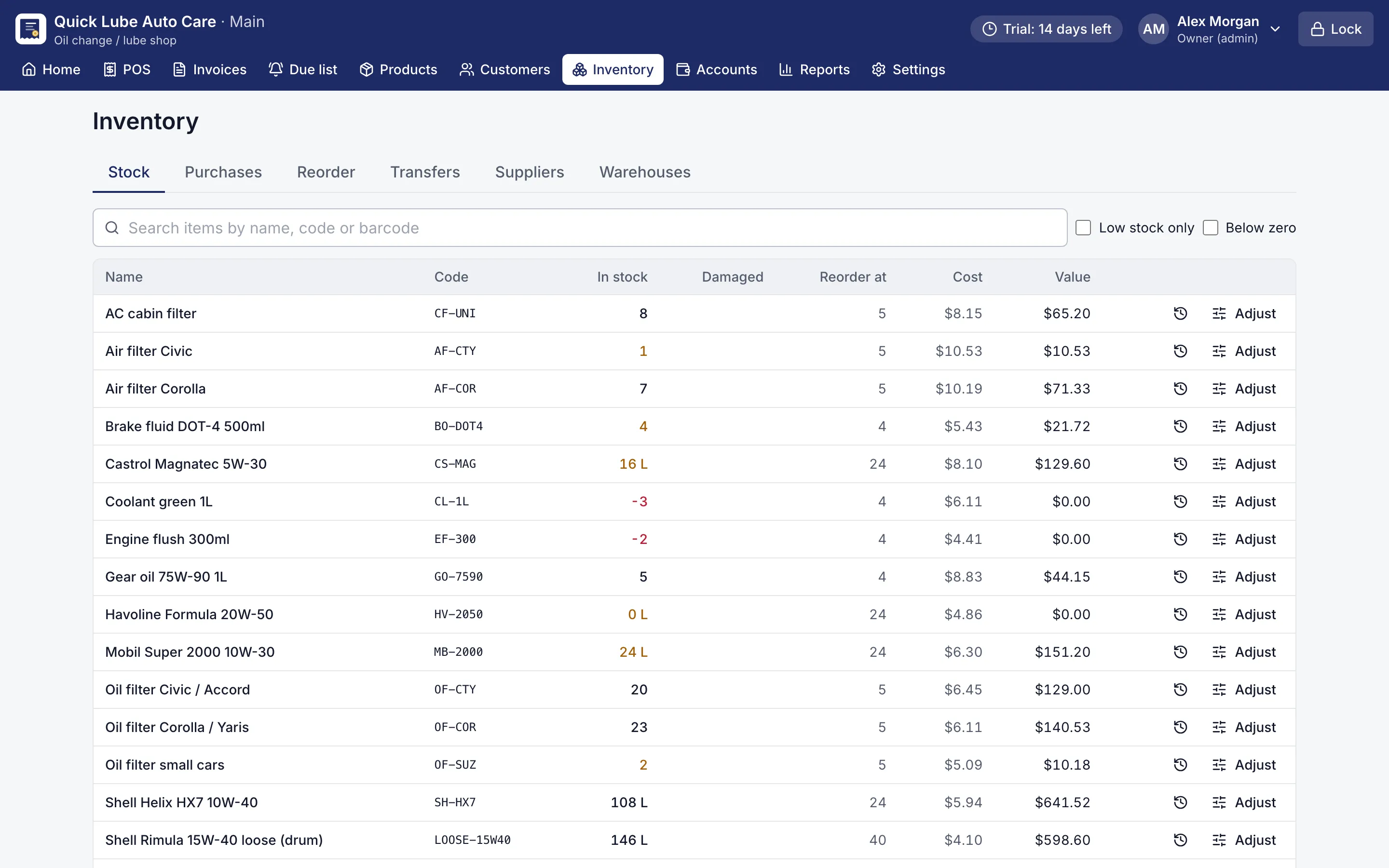
Stock list with quantities, reorder points and low-stock items highlighted
Stock list. Stock in every warehouse, with low-stock and below-zero items flagged.

Questions shop owners ask

Can I track stock by size and colour?

Yes. Each size and colour is its own variant with its own code, barcode, price and stock, and shows as its own row in the stock list.

How do exchanges work in RMS?

Open the original bill and choose Exchange. Pick what comes back, sell the new items, and RMS takes the difference or gives it back in cash or store credit. A credit note prints for the returned goods.

Can I limit how late a customer can return clothes?

Yes. Set the number of days in the returns policy. Returns later than that need the owner's approval.

Is there a report of sales by size and colour?

Yes. The sales by size and colour report shows which variants sell, and the exchanges report shows what came back and what went out.

Can I sell fabric by length?

Yes. Fabric can be sold by the metre or the foot, in quantities such as 2.5 m, and bought by the roll with a conversion to metres.

Can I give loyalty points instead of discounts?

Yes. Customers earn points on what they pay, at a shop rate or per category, and spend them on a later bill. Points can expire after a set time.

Other shops RMS is made for

General storeDepartmental storeMobile & electronicsHardwareOther retail

Try RMS in your clothing shop

Every Pro feature, no card needed. Keep it from USD 39 a year or pay once for life.

14-day trial · Windows, macOS, Linux · Works offline

Download free trial