
Skip to content
RMS

RMS for mobile & electronics shops

Mobile phone shop software with IMEI tracking and warranty lookup

RMS is offline mobile phone shop software with IMEI tracking for phone and electronics shops. Scan each phone's IMEI when it arrives and when it is sold, print the warranty date on the bill, find any warranty by IMEI, invoice or phone number, and handle exchanges. It works without internet.

Last updated 18 October 2026

What problems does it solve?

A day at your counter with RMS

  1. 1

    Receive with IMEIs

    When phones arrive, scan each IMEI into the stock in. Every unit is tracked from the supplier.

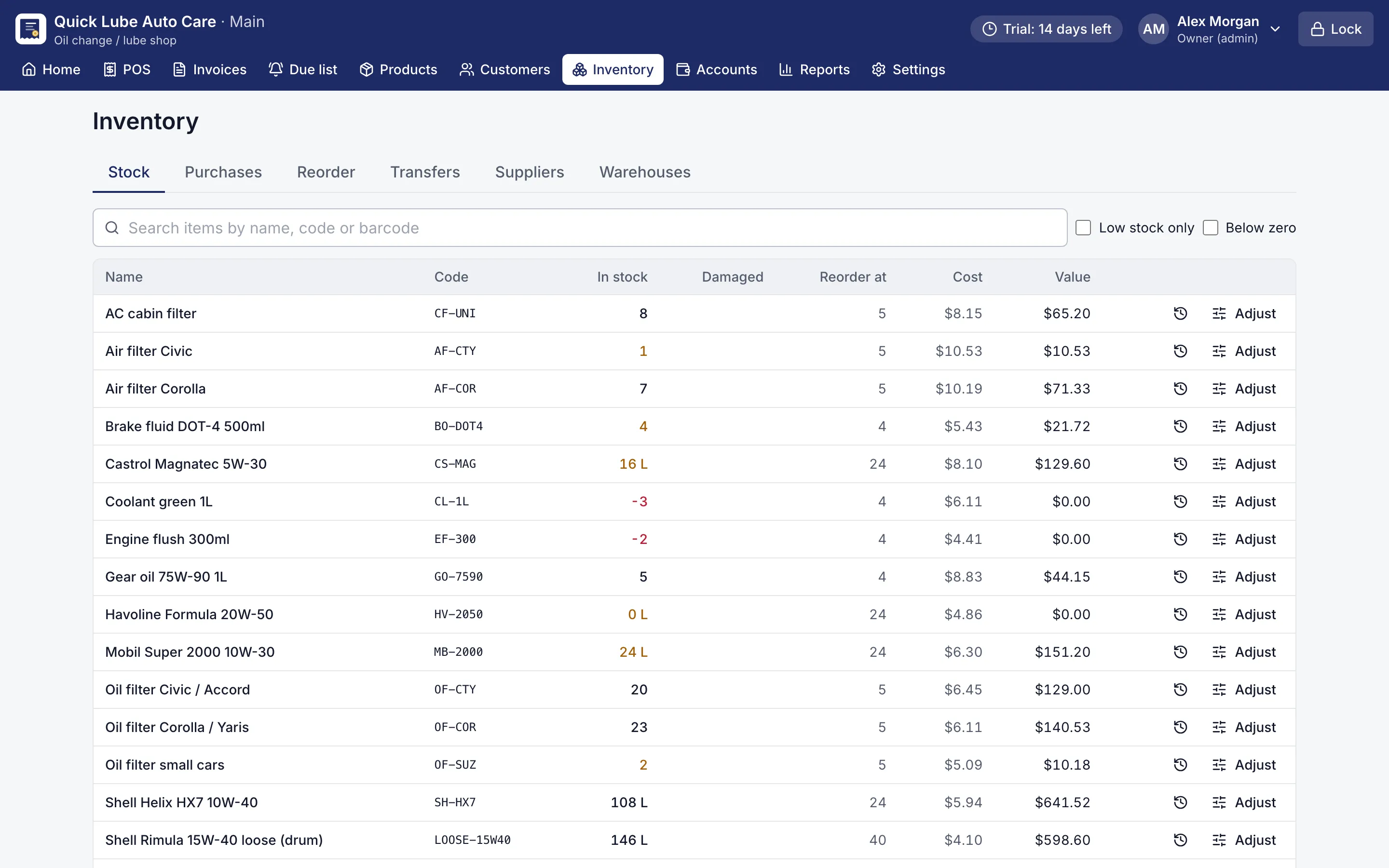
    Stock list with quantities, reorder points and low-stock items highlighted
    Stock list. Stock in every warehouse, with low-stock and below-zero items flagged.
  2. 2

    Sell by IMEI

    At the counter, scan the IMEI of the unit sold. It prints on the invoice with Warranty until and the date.

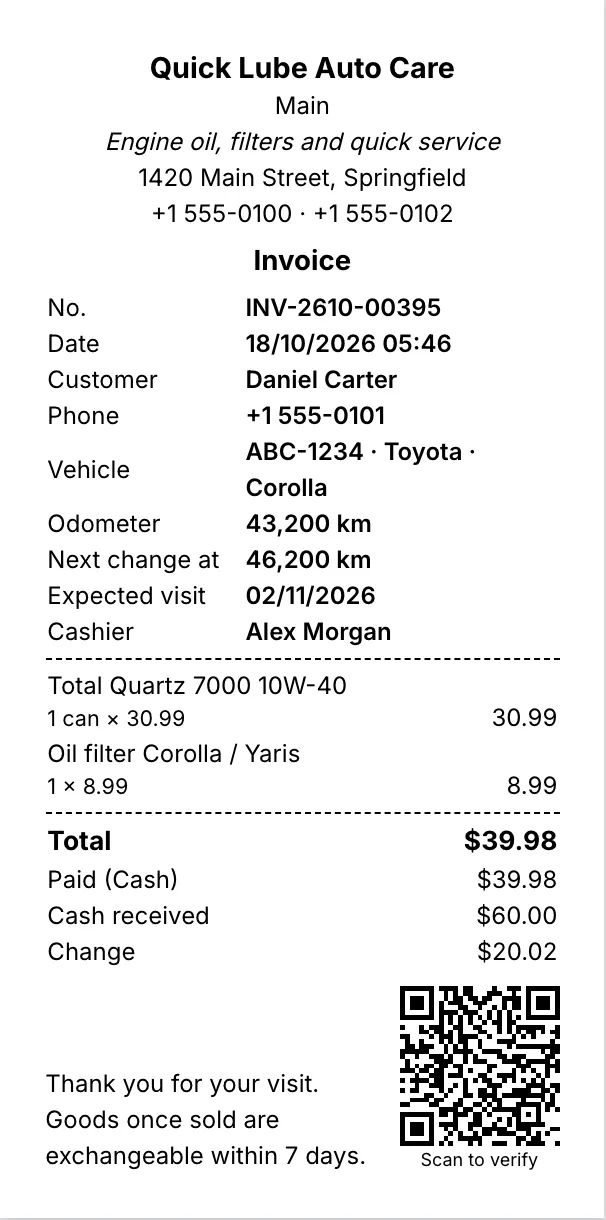
    80 mm thermal receipt with items, total, change and a QR code
    80 mm thermal receipt. Every printout shows the saved figures and a QR code that proves the shop issued it.
  3. 3

    Look up a warranty

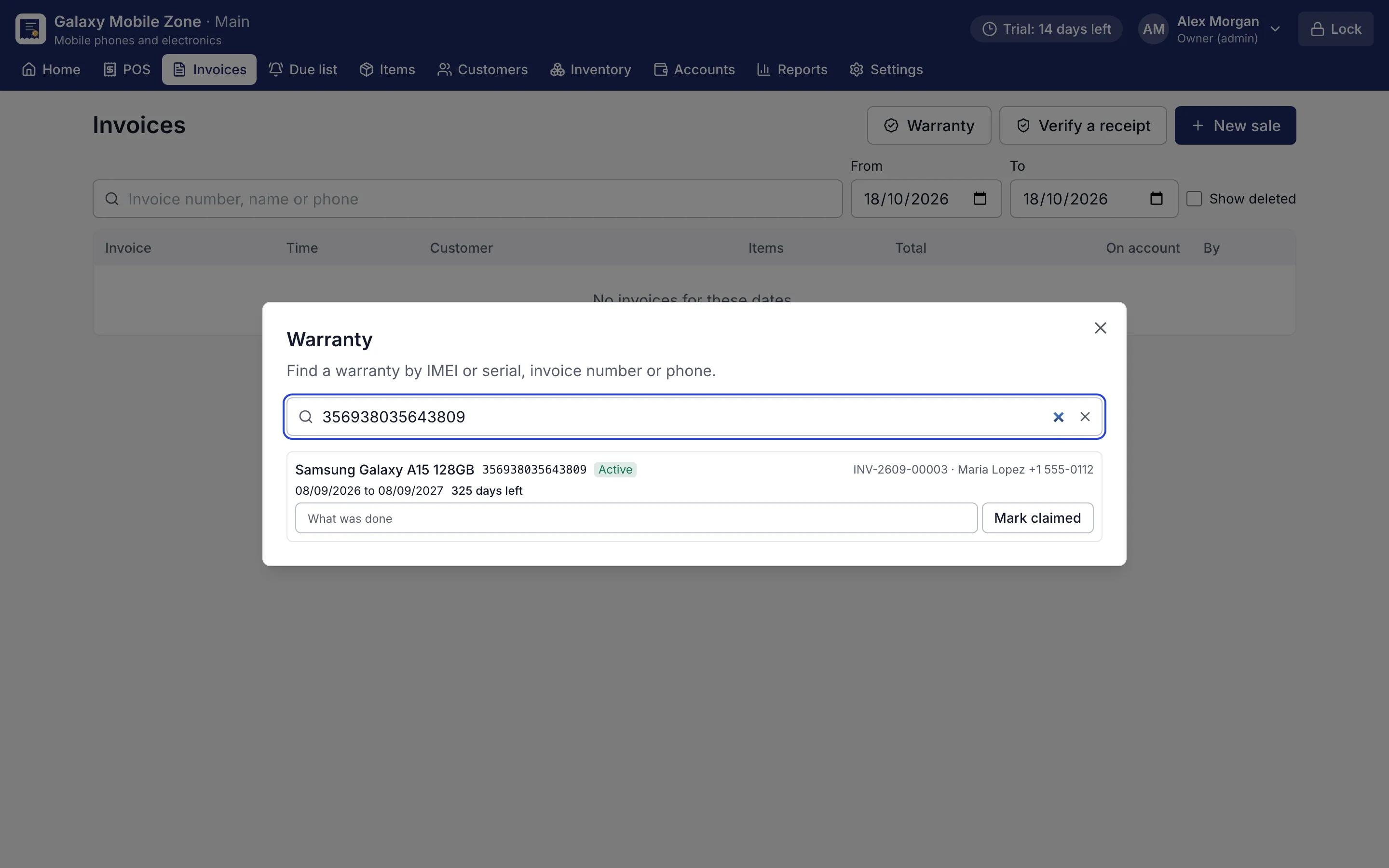
    Search by IMEI, invoice number or the customer's phone to see the phone, the bill and the days left.

    Warranty search by IMEI showing the phone, invoice, customer and days left
    IMEI warranty lookup. Find a phone's warranty by IMEI, invoice number or phone, and mark a claim.
  4. 4

    Mark the claim

    Mark a warranty claim on the record, so the history stays with the IMEI.

  5. 5

    Exchange or buy back

    Exchange a phone with a credit note, or take an old phone in with buy-back and its value comes off the bill.

Why does a mobile phone shop need IMEI tracking?

In a mobile phone shop, every handset is a separate, expensive item with its own identity. Counting “10 phones of model X” is not enough: you need to know which IMEI was sold to whom, on which date, and under what warranty. That is the core of mobile phone shop software with IMEI tracking, and it is how RMS works.

When phones arrive, each IMEI is scanned into stock against the supplier’s bill. At the counter, the cashier scans the IMEI of the unit sold, and it prints on the invoice. Products with warranty months print “Warranty until” with the date, so the customer has proof without asking.

How does the warranty lookup save time?

When a customer comes back with a problem, open Invoices → Warranty and search by IMEI, invoice number or their phone number. RMS shows the phone, the original bill, the customer and how many days of warranty are left. Mark the claim there and the history stays with that IMEI.

The serial and warranty register report lists every unit sold with its warranty, for print or CSV export.

How are exchanges, returns and old phones handled?

  • Exchanges: open the bill, choose what comes back, and sell the replacement. RMS works out the difference and prints a credit note.
  • Returns: the same IMEI goes back into stock, ready to sell again.
  • Buy-back: take a customer’s old phone in and its value comes off the new bill.
  • Accessories: chargers, covers and earphones sell by barcode or quick-sale buttons.

A customer’s ID number can be saved on the customer and printed on the invoice when you need it, and tax invoices carry your own tax name, rate and registration numbers.

Is my data safe?

Everything stays on the shop’s own computer and works offline. Backups run automatically, can be copied to a USB stick, and restore after a preview and a confirmation. Each user signs in with a PIN and has their own permissions, so a cashier cannot delete bills or see costs unless you allow it.

Try it with your next stock

Choose “Mobile & electronics” in the setup wizard and serial numbers, warranty and exchanges are switched on. Take cash, card, mobile wallet or bank transfer, or split one bill across them. Every Pro feature is free for 14 days, and no card is needed.
Screens for mobile & electronics shops

Warranty search by IMEI showing the phone, invoice, customer and days left
IMEI warranty lookup. Find a phone's warranty by IMEI, invoice number or phone, and mark a claim.
80 mm thermal receipt with items, total, change and a QR code
80 mm thermal receipt. Every printout shows the saved figures and a QR code that proves the shop issued it.
Stock list with quantities, reorder points and low-stock items highlighted
Stock list. Stock in every warehouse, with low-stock and below-zero items flagged.
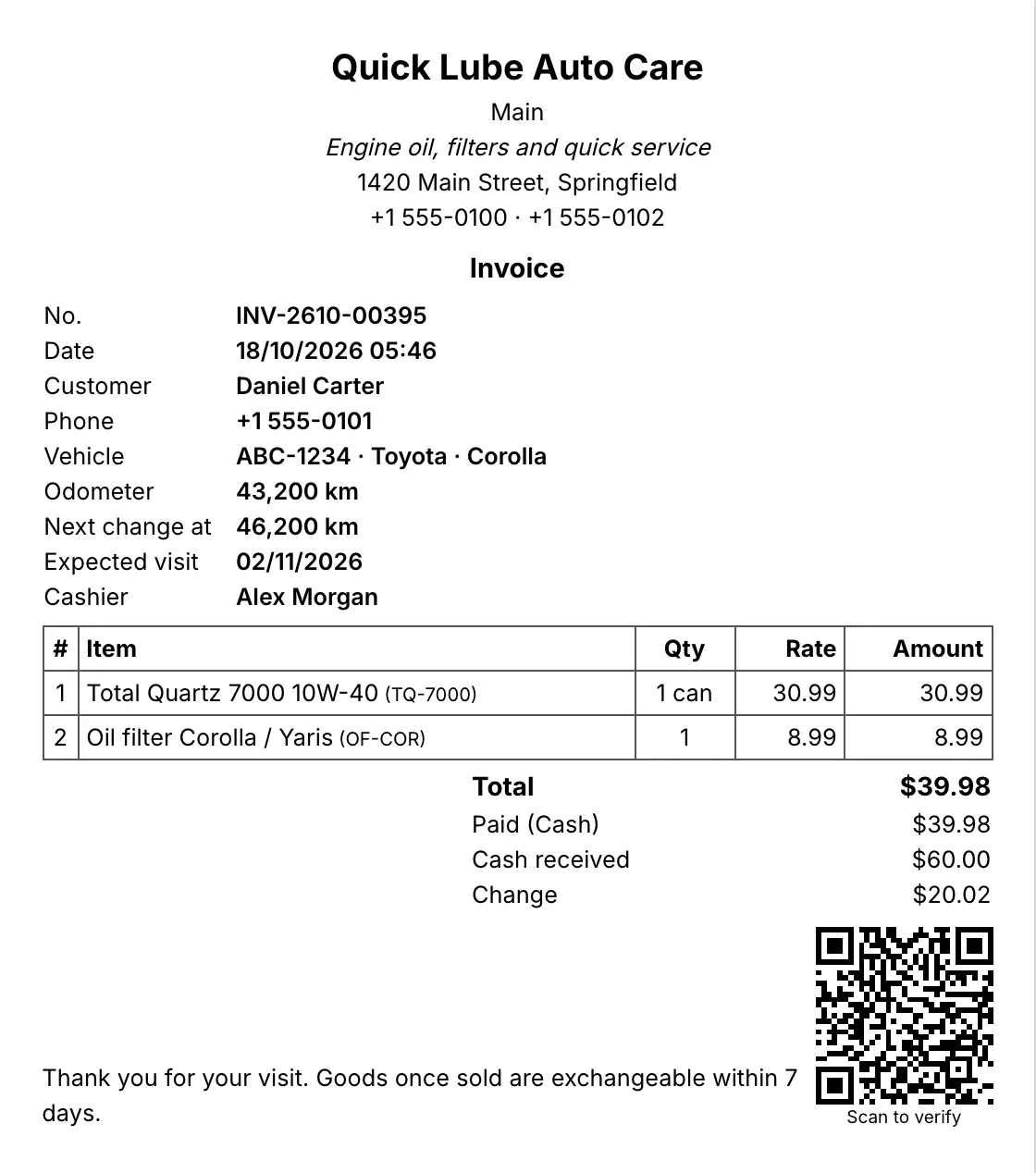
A5 invoice with the shop's details, customer, vehicle, items and totals
A5 invoice. A4, A5 or A6 invoices with your logo, tagline and footer.

Questions shop owners ask

Can RMS record the IMEI of every phone I sell?

Yes. IMEIs are scanned when stock arrives and again at the counter, one per unit sold, and printed on the invoice. A return puts the same IMEI back into stock.

How do I check a phone's warranty?

Open Invoices → Warranty and search by IMEI, invoice number or phone number. RMS shows the phone, the bill, the customer and the days left, and lets you mark a claim.

Can I find who bought a phone and where it came from?

Yes. Search any serial or IMEI to see the supplier it came from, who bought it and its warranty.

Can I buy used phones from customers?

Yes. Use buy-back at the counter to take an old phone in; its value comes off the new bill. Used phones can have their own category.

Does RMS also handle chargers, covers and accessories?

Yes. Accessories sell by barcode or as quick-sale buttons, while phones and tablets are tracked by IMEI. Cables and screen protectors can be bought by the box and sold by the piece.

Other shops RMS is made for

General storeDepartmental storeClothingHardwareOther retail

Try RMS in your mobile & electronics shop

Every Pro feature, no card needed. Keep it from USD 39 a year or pay once for life.

14-day trial · Windows, macOS, Linux · Works offline

Download free trial